

This status means you marked a visit as Complete without finishing all the required sections of the FPE/Profiling or the Consult. The system flags it so you don't accidentally transmit an incomplete case to PhilHealth.
How to spot an incomplete section
Under Daily Visit, look at the icon beside each patient.
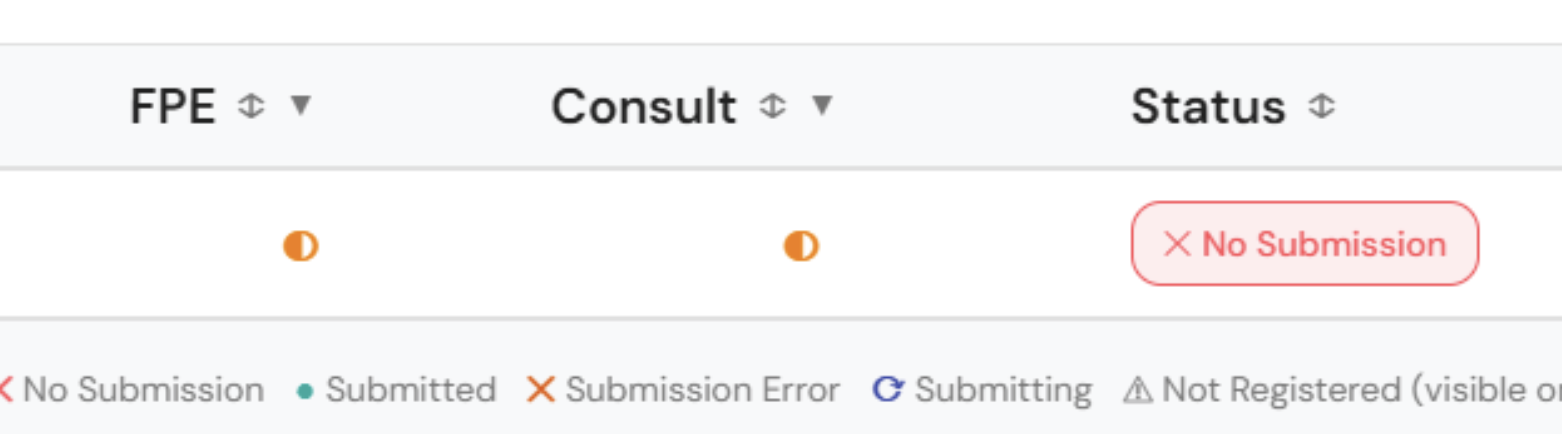
- Half-filled orange circle: at least one required section is missing. This is what triggers the No Submission status when you mark Complete. ⬇️
- Green check mark: all required sections are done. This is what you should see before marking Complete. ⬇️
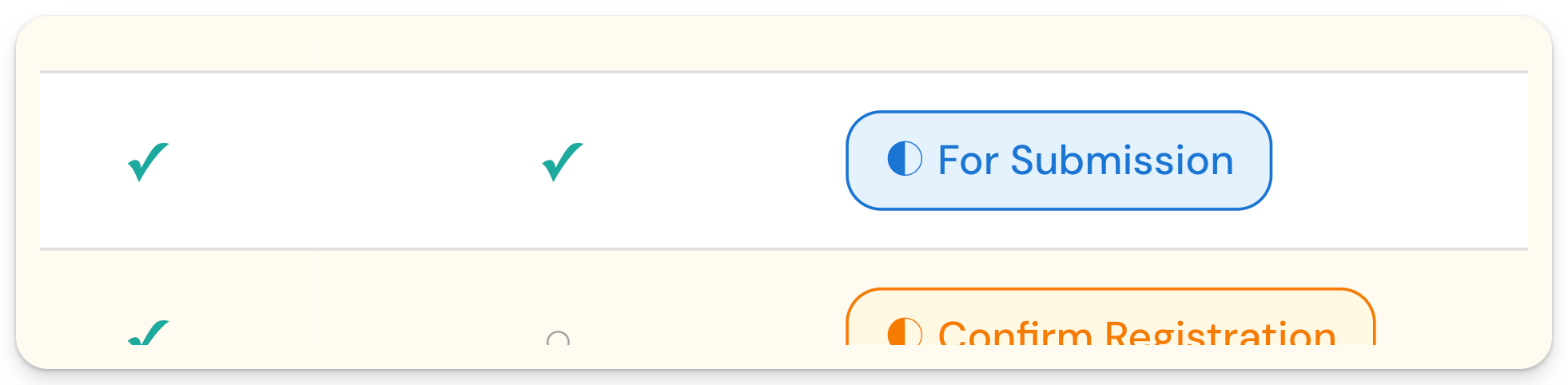
If the status is No Submission and you attempt to submit the case, it will not be included.
How to undo the No Submission status?
To resolve this, click on the (...) icon beside the No Submission status and click Revert to Pending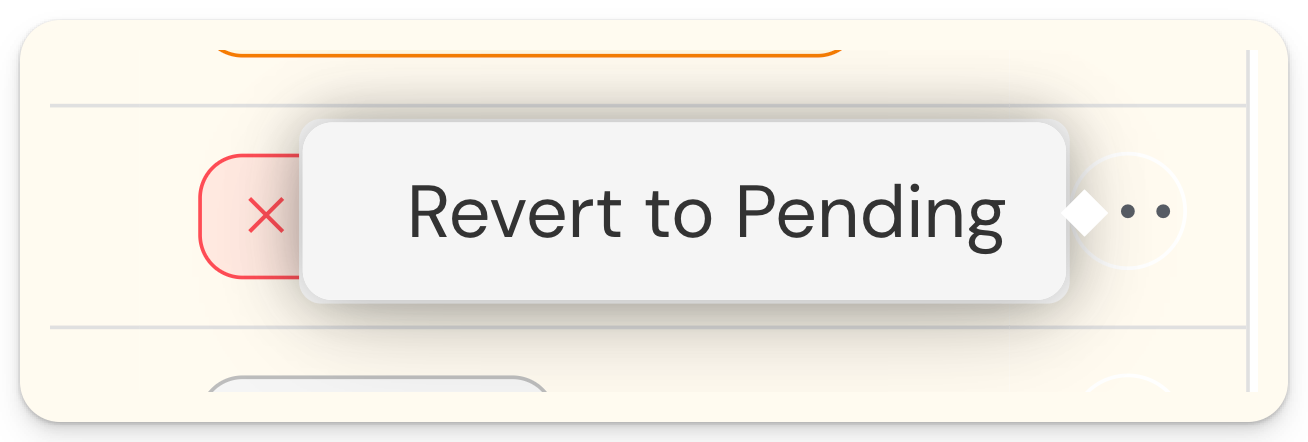
Status will return to Pending.
Open the patient record and complete the missing section(s). Look for any section that doesn't have a green dot beside it.
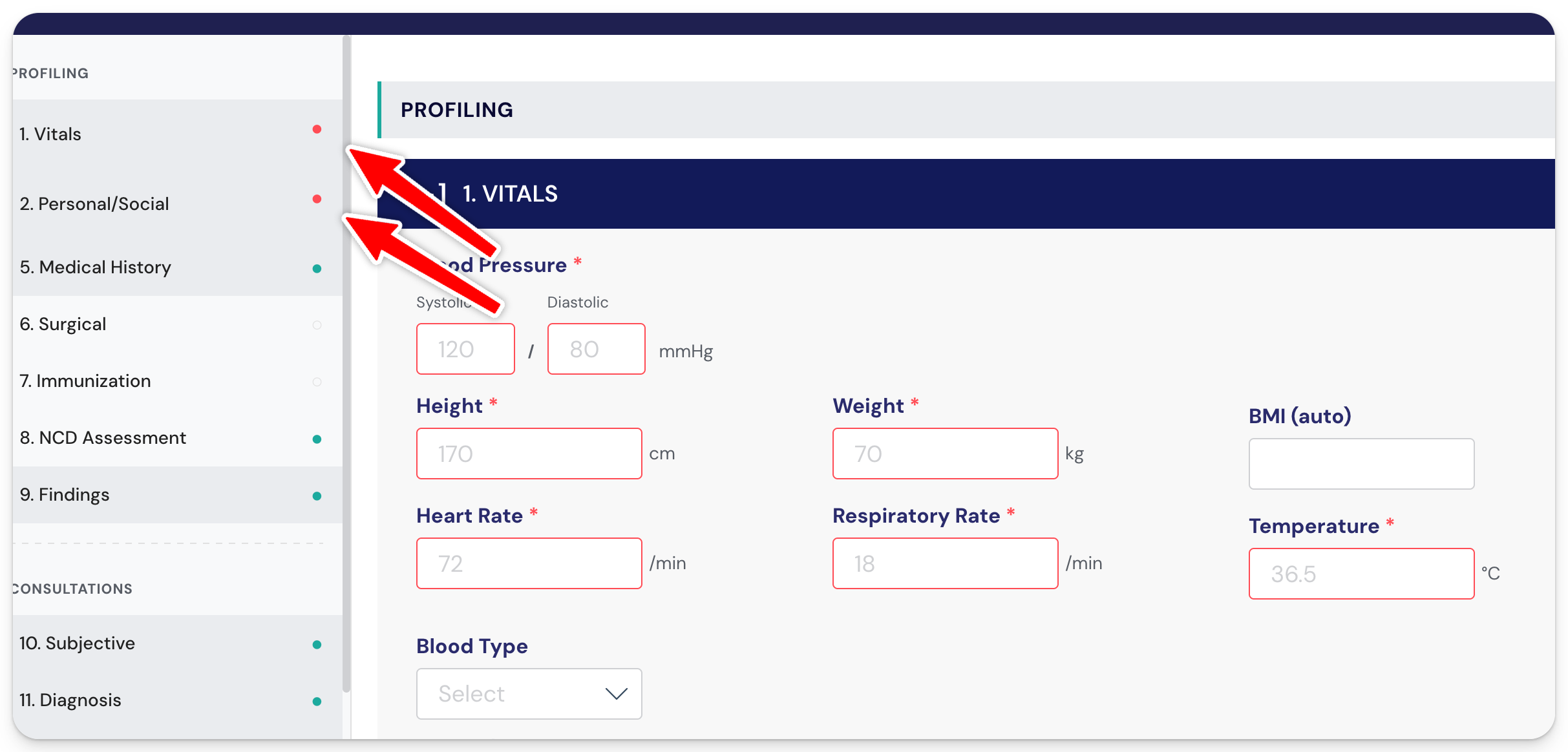
Mark the visit as Complete again. The status should now change to For Submission.
Frequently Asked Questions (FAQs):
1. I marked as complete but the status changes to Confirm Registration instead of For Submission. What does this mean?
- Kindly refer to this article: I mark the visit as complete but I see a 'Confirm Registration' status. What does this mean?
