

After you mark a visit as Save & Complete, the patient's status should change to For Submission so you can transmit the case to PhilHealth. If it shows Confirm Registration instead, it can mean three things:
- The Visit Date is earlier than the patient's Enlistment Date
- You haven't imported your latest Masterlist
- The patient isn't registered to your facility this year
Work through them in order. The first two have quick fixes. The third is rarer and may need PhilHealth's help.
Cause 1: The Visit Date is earlier than the patient's Enlistment Date
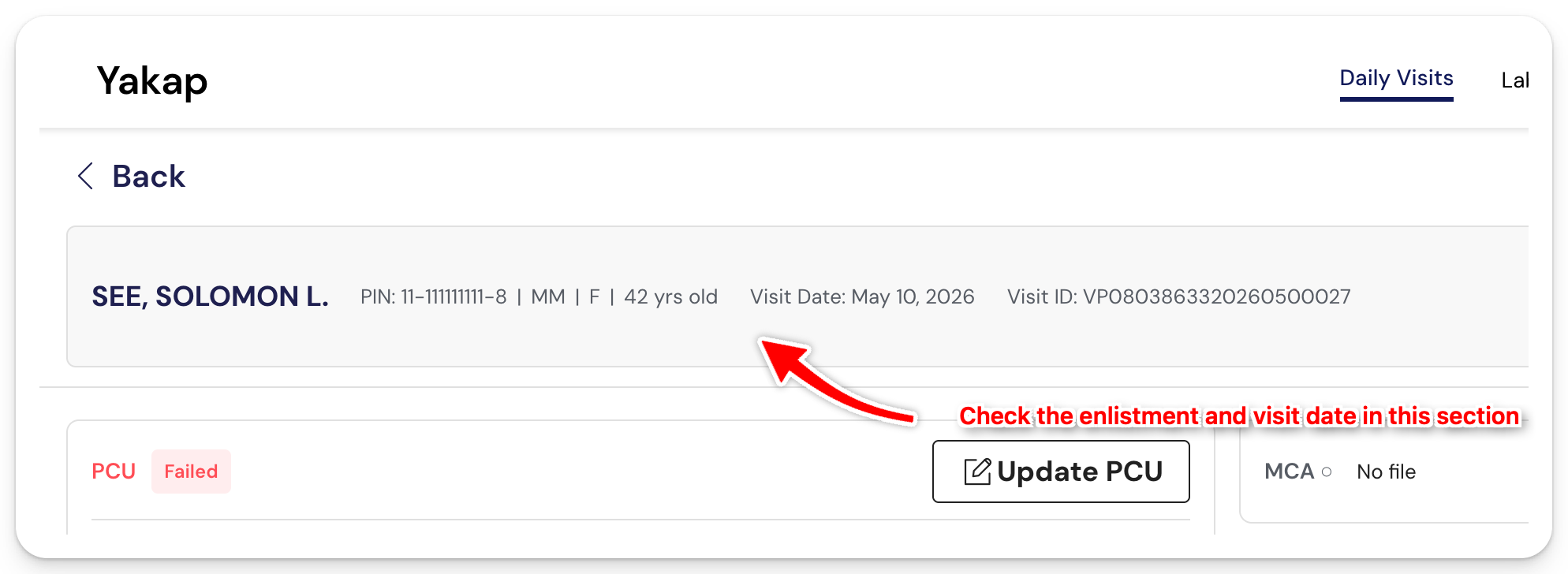
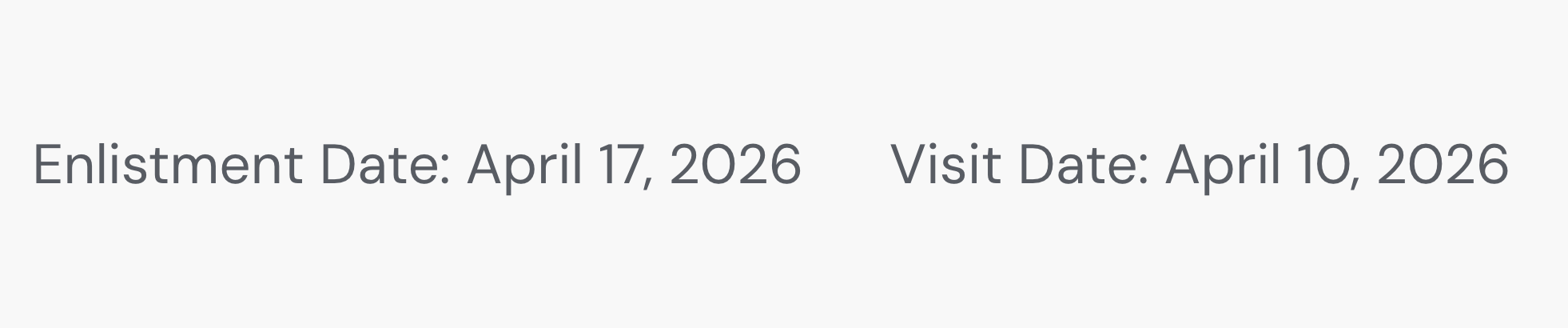
Open the patient record. If the Enlistment Date is later than the Visit Date, you'll need to update the visit to a date that's on or after the enlistment date.
Note: Enlistment date is the date the patient registered to your facility.
Sample photo of the enlistment date being later then the visit date
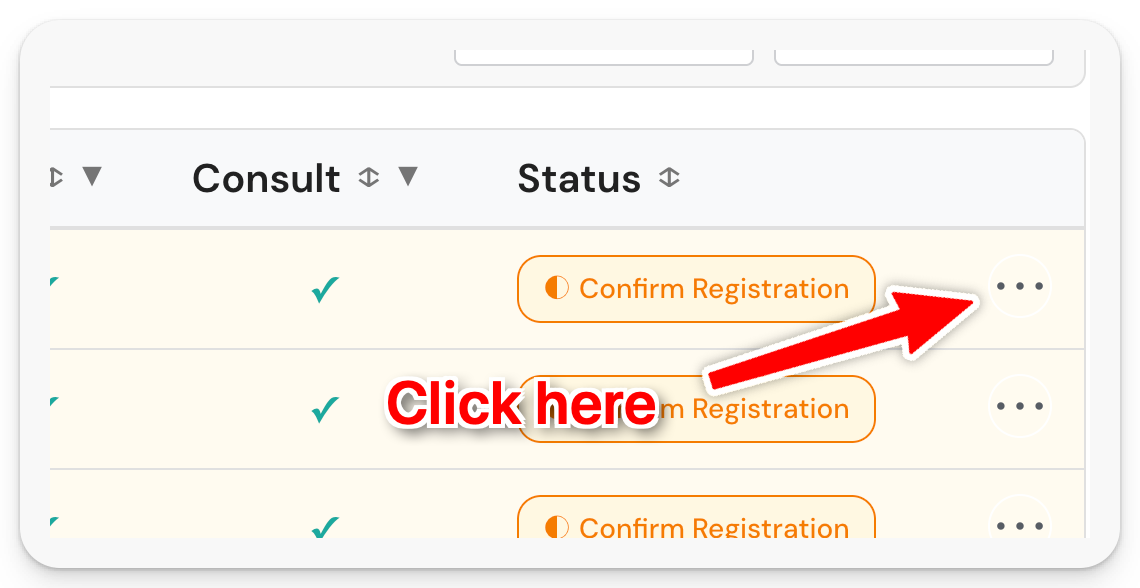
To change the date, go back to Daily Visit and click on the (...) icon
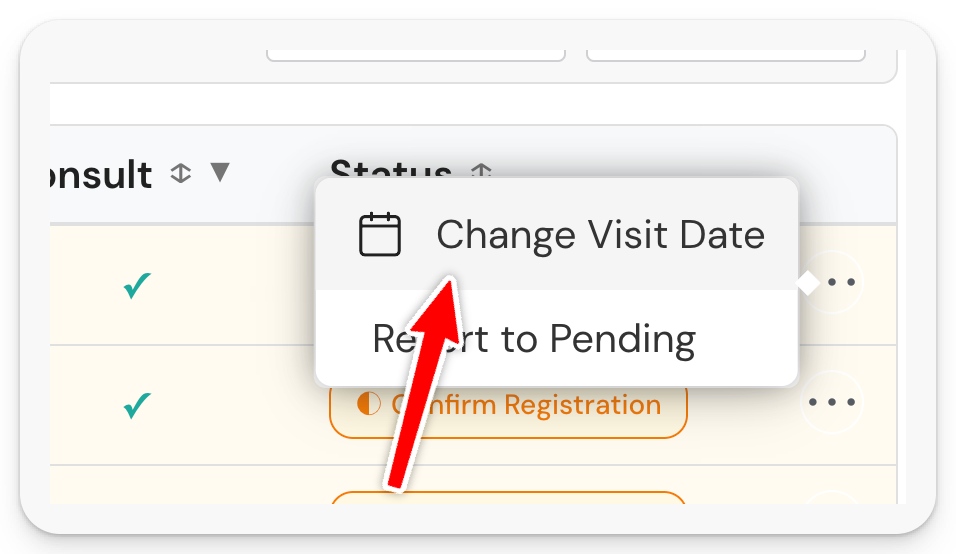
Click Change Visit Date
Select the new date then Save
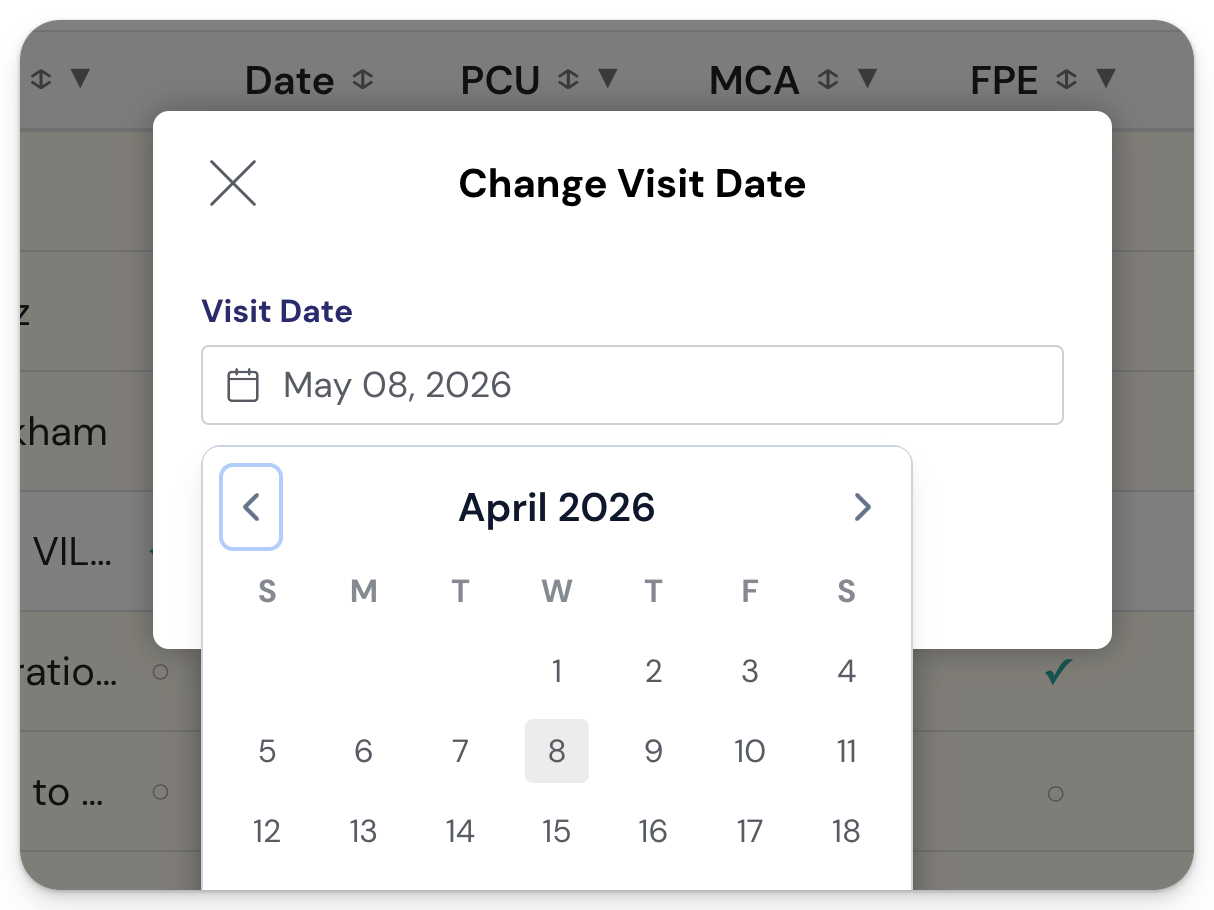
Status should change to For Submission.
If the status still shows Confirm Registration after changing the date, move on to Cause 2 below. ⬇️
Cause 2: You haven't imported your latest Masterlist
Open the patient record. If you can see an Enlistment Date that's earlier than the visit date, but the status is still Confirm Registration, your Masterlist may not be updated. A fresh import that includes the patient's enlistment date will fix it.
In this example below, the patient's Enlistment Date is January 18, 2026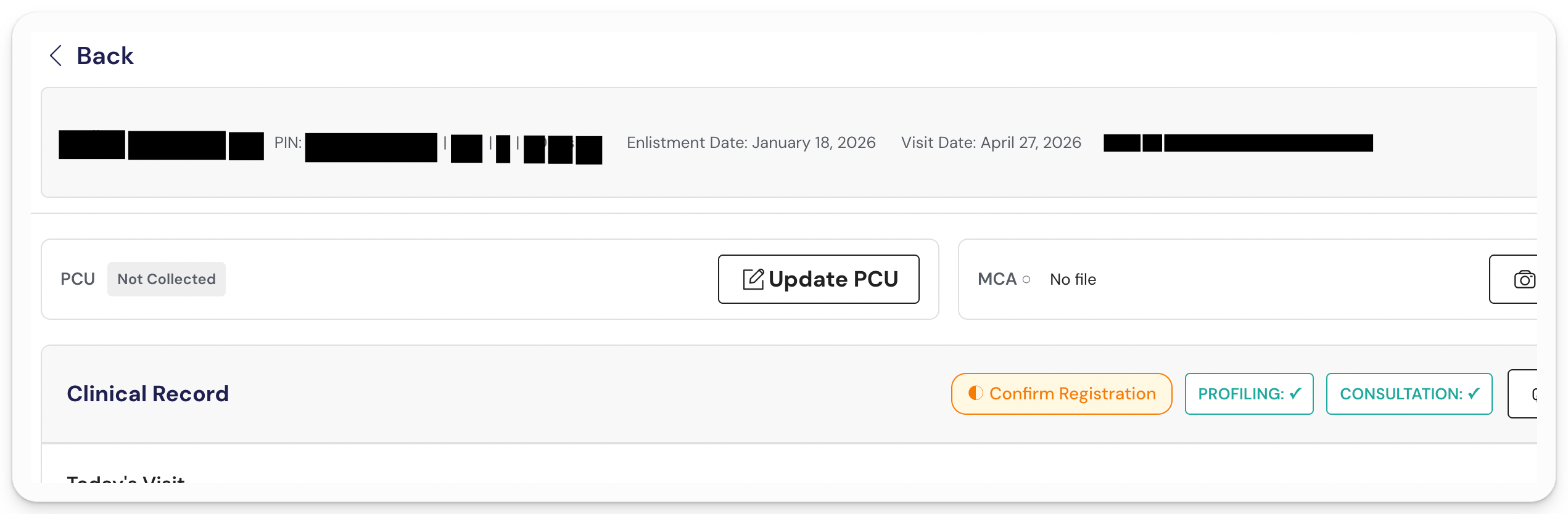
To import, Go to PhilHealth > Import Masterlist
Enter a date range that includes the patient's enlistment date. We recommend setting the start date a day or two before, and the end date a few days after.
For example, for an Enlistment Date of January 18, 2026, you might set the range from January 16 to January 31.
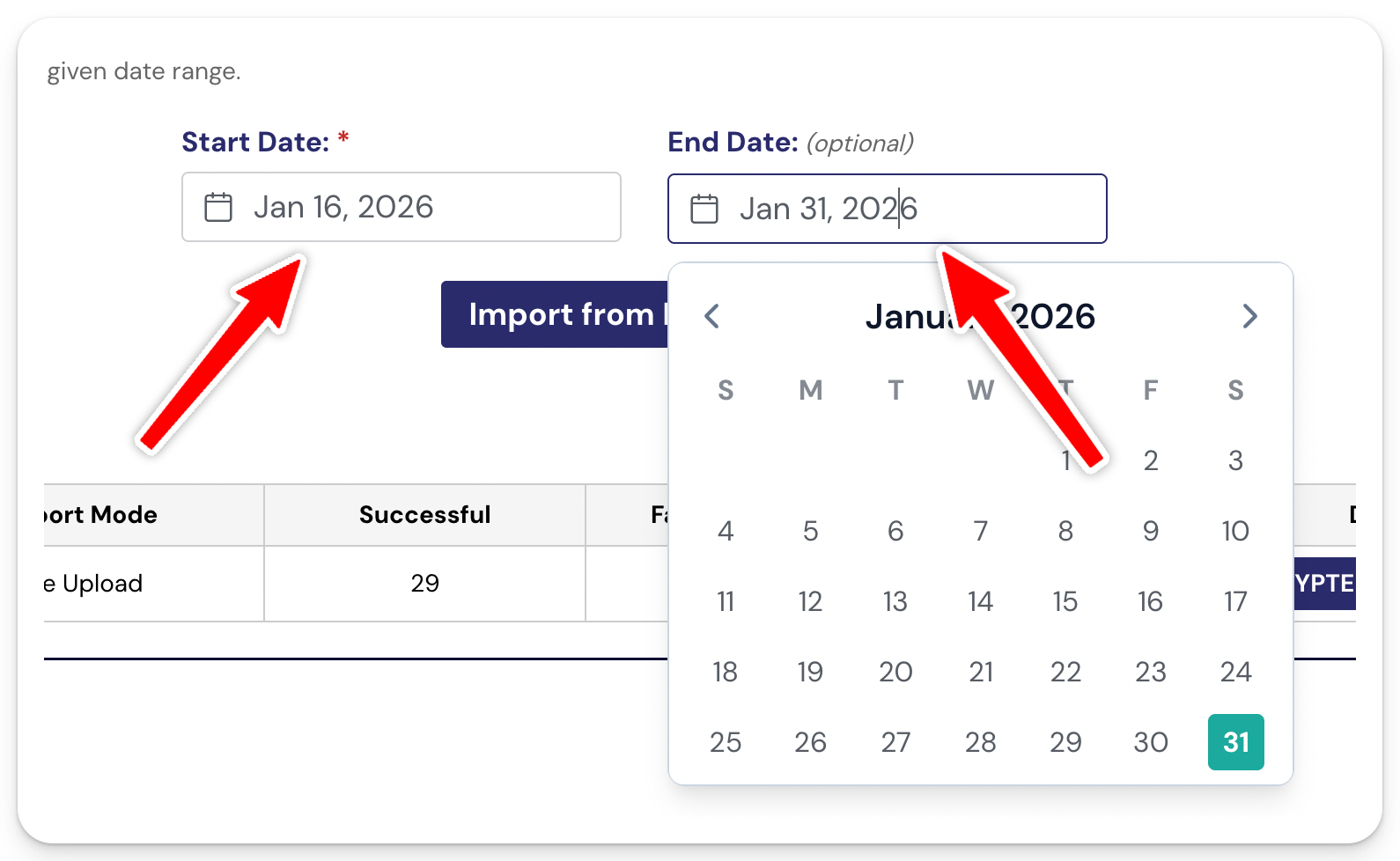
Click Import from PhilHealth

Go back to Daily Visit. The status should already change to For Submission.
Cause 3: The patient isn't registered to your facility this year
If you've imported the Masterlist several times and the status still shows Confirm Registration, the patient may not be registered to your facility at all this year and you added them manually.
To confirm:
- Check the HCI portal to see which facility the patient is currently registered with
- If the patient confirms they're registered with you but the status still won't change, contact our support team
- If support confirms the patient really isn't in your Masterlist, the next step is to contact PhilHealth directly
