

Quick answer
A red ⚠️ warning beside a patient's name on the Daily Visit row usually means the visit date is earlier than the patient's Enlistment Date, the date the patient was enlisted to your facility. The system can't confirm the patient was registered with you on the day of the visit.
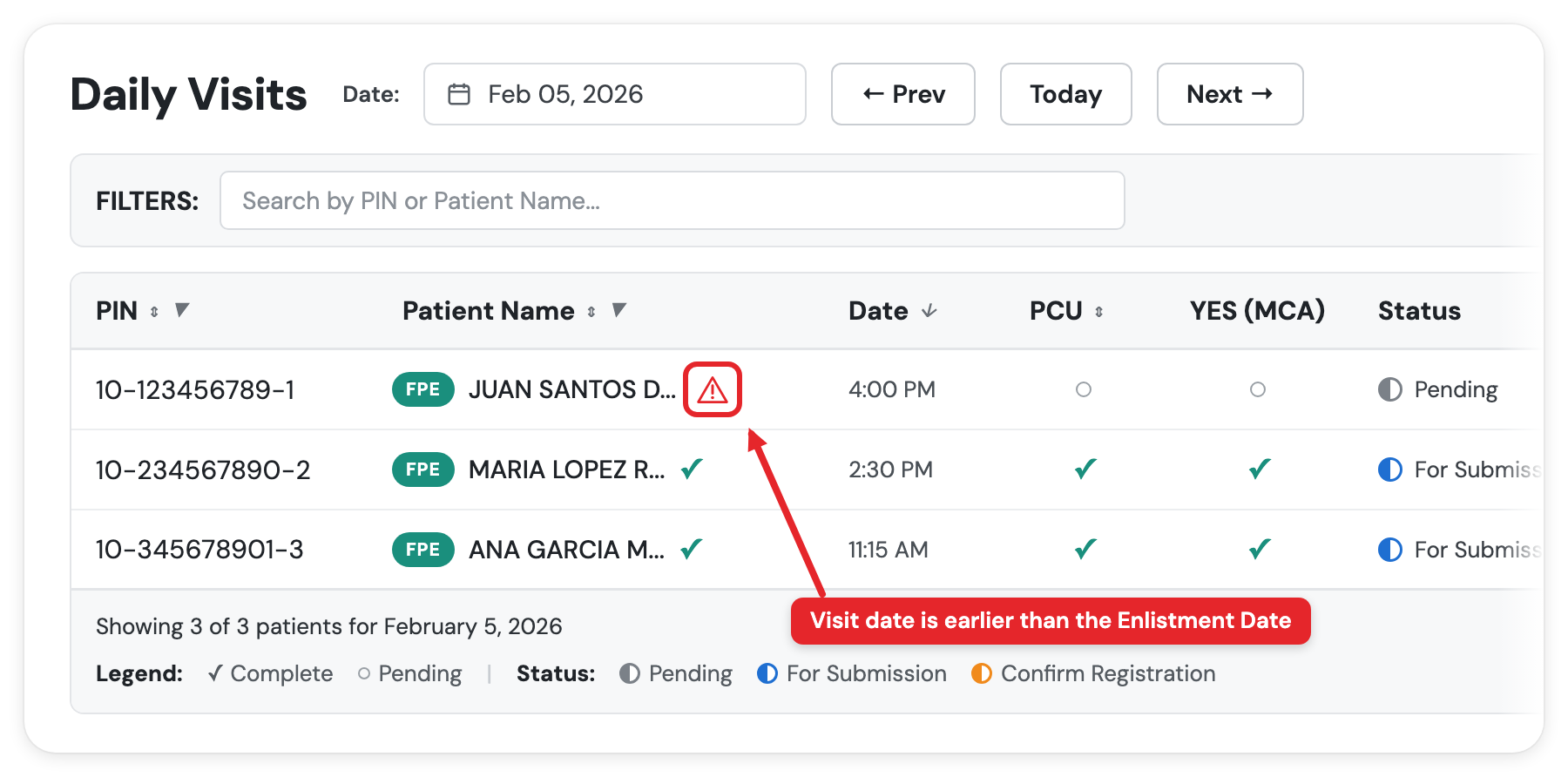
You'll often see the warning on the Daily Visit row before you've even marked the visit complete. If you go ahead and complete it, the visit lands in Confirm Registration instead of For Submission.
The fix is on your end. Move the visit date to the enlistment date or later.
- Go to Daily Visit and find the patient.
- Click the (...) menu beside them.
- Select Change Visit Date.
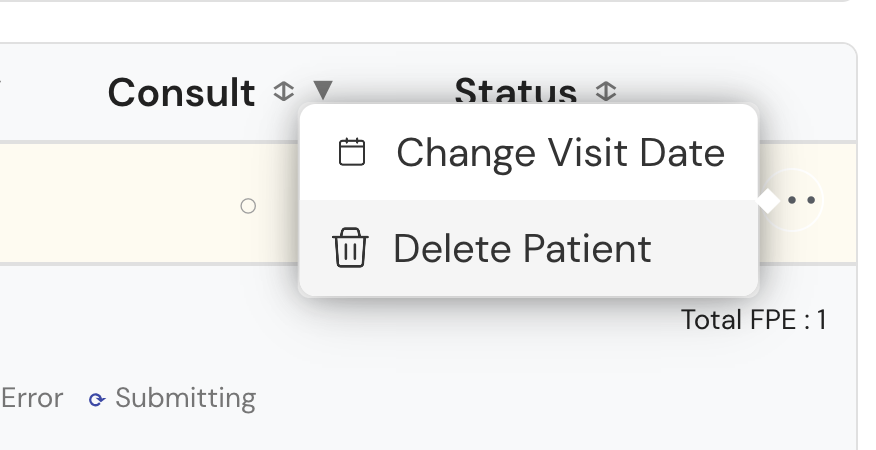
- Set a date on or after the enlistment date and save.
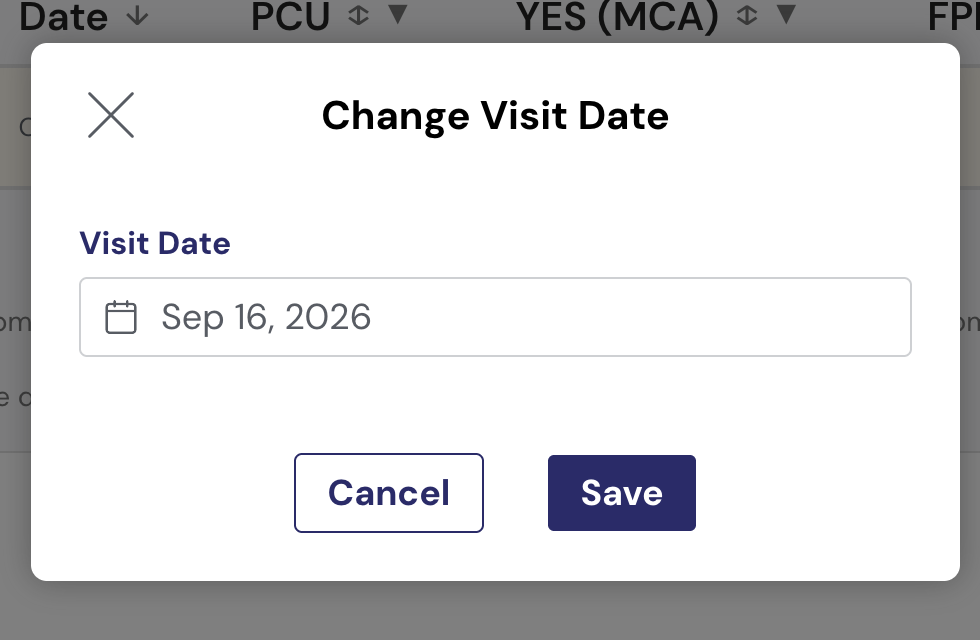
The warning clears and the visit moves to For Submission.
Where to check the two dates
Open the patient record. The header line shows both dates next to each other:
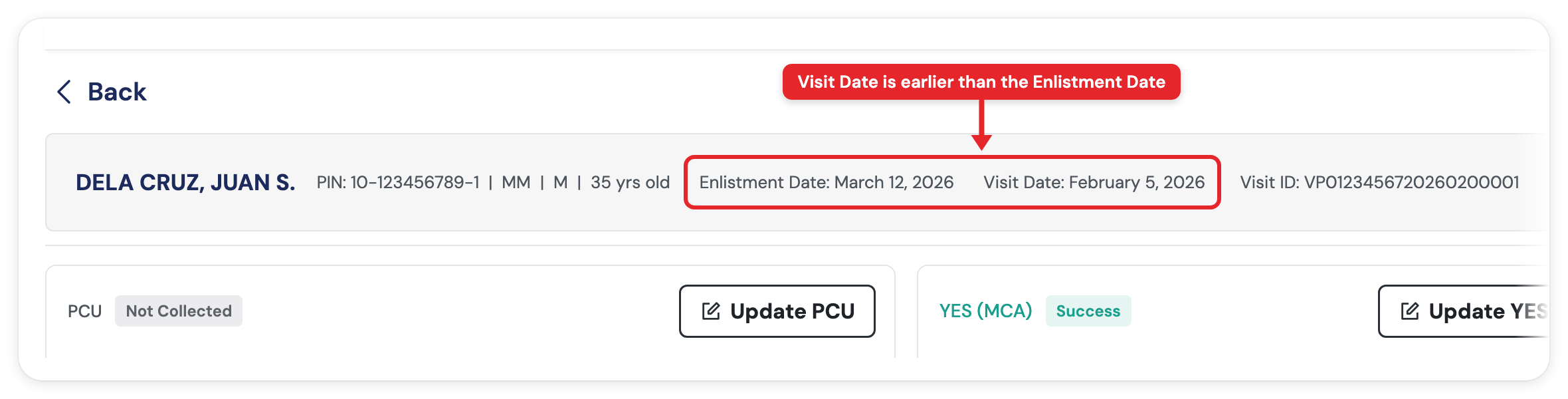
That example is the problem case. The visit is dated a month before the patient was enlisted.
Why this happens
There are two ways a visit ends up behind the enlistment date.
1. The visit was added on a date before the enlistment date
The most common one, and no PhilHealth issue is involved. The visit was simply encoded on a date earlier than the patient's enlistment date. It tends to happen when you're catching up on encoding, or when the date picker is still sitting on an earlier day from the previous entry. This also happens when you actually continue with conducting FPE with the patient even if they're not yet registered with you (they eventually do register after a few days).
If the patient was actually seen on a later date, set the correct date, the day they were really seen. If the date is already correct but still falls before the enlistment date, move it to the enlistment date or later so the visit can be submitted.
2. The patient was untagged, then tagged again later
This is the one that catches facilities out, because the patient is genuinely theirs.
When PhilHealth untags a patient and later tags them back to you, the date on the record is the new enlistment date from the re-tagging. It is not the date the patient first registered with you.
A real example: the patient first registered with the facility back in 2024, PhilHealth untagged them, the facility requested them back on August 1, 2026, and the reassignment went through on August 3, 2026. The record now reads Enlistment Date: August 3, 2026. A visit dated July 4, 2026 sits behind it and gets the red ⚠️ warning.
In this case you do need to move the visit date. The old enlistment ended when the patient was untagged, so the visit has to fall inside the new one.
Checking the HCI portal won't clear it. The portal showing your facility under the patient's PIN confirms the re-tagging went through. It does not backdate the enlistment. The two dates on the patient record are what the submission checks against.
If more than one patient is flagged
The enlistment date is per patient, so check each flagged patient separately. Patients tagged to you in the same batch will usually share the same enlistment date, so if one visit is behind it, the others from that period likely are too.
Fix them one at a time using the steps above.
Good to know
- The system will block cases where the visit date is behind the enlistment date. If you mark visits like these as complete, the status that will appear is Confirm Registration. You'll need to resolve the issue in order for the case to be included in your submission.
- The red ⚠️ warning is per patient, so one affected patient doesn't block the rest of your batch.
- If the visit date is already on or after the enlistment date and the warning is still there, it's a different cause. Your masterlist may be outdated, or the patient may not be currently registered to your facility.
See: "Confirm Registration" Status Explanation
See: "Patient is not assigned/registered" error when submitting cases
