

When a new patient comes in for their first visit, here's how to add them to your Daily Visit list so you can start their record.
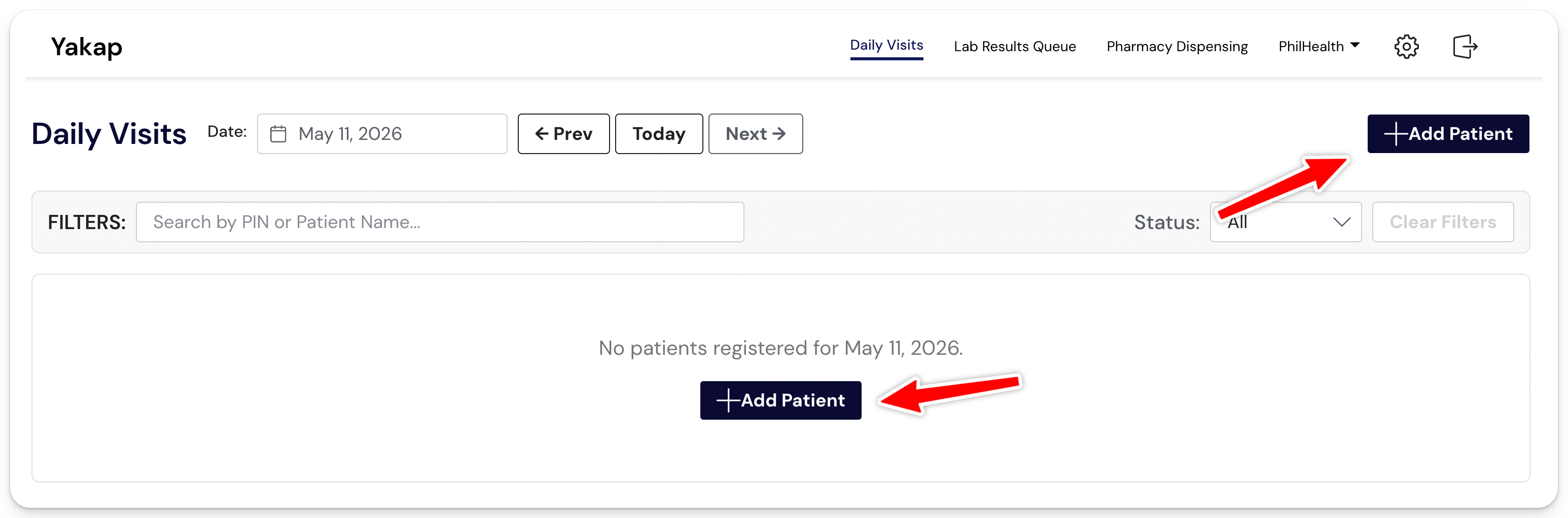
Step 1: Open SMD YAKAP and go to Daily Visit then click + Add Patient.
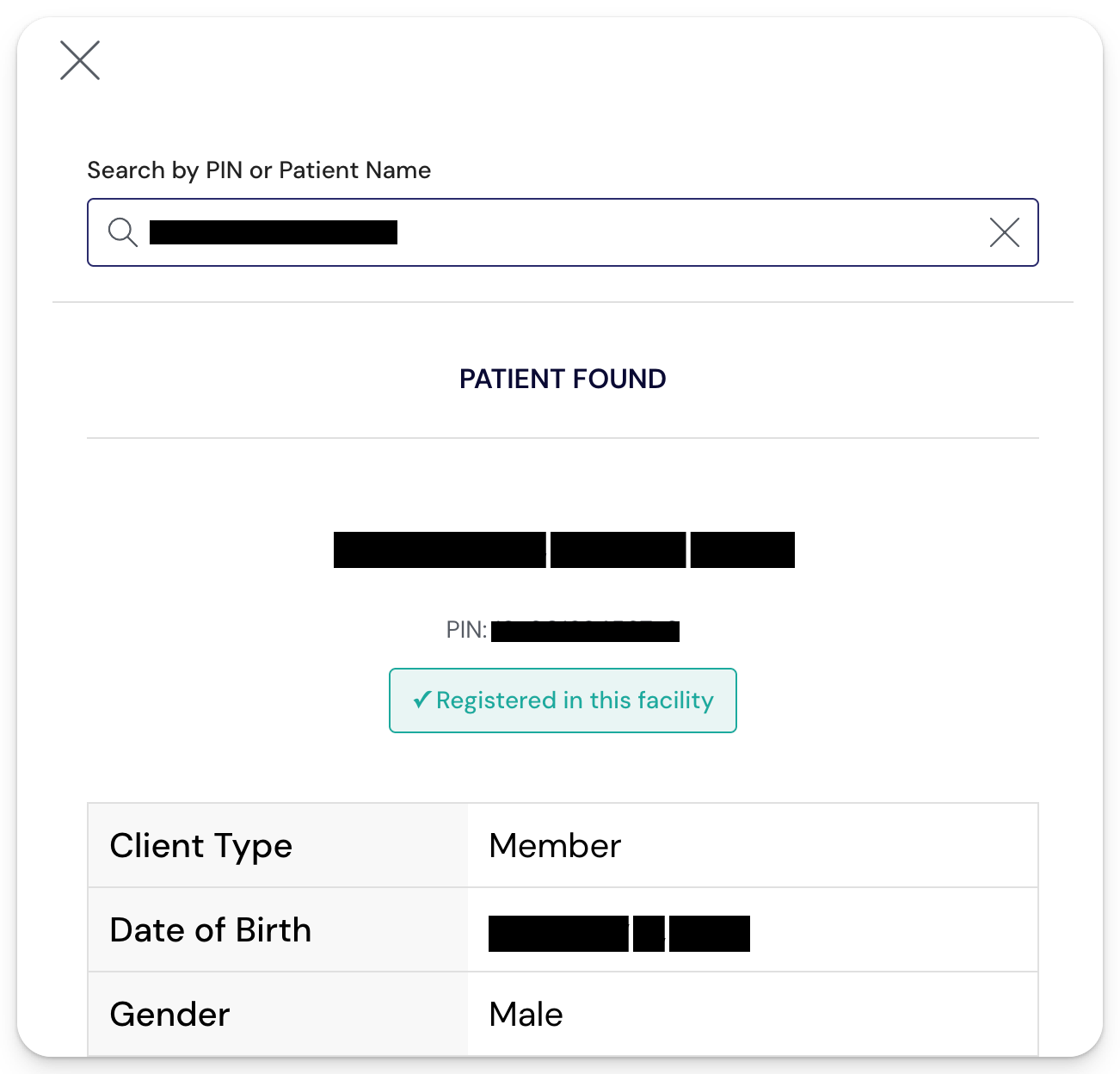
Step 2: Search for the patient
Search by Name or PIN. Both come from your Imported Masterlist, so make sure your Masterlist is up to date before searching. If the patient doesn't appear, your Masterlist may need a fresh import.
Step 3: Enter the patient's mobile number
Required so the system can save their contact details for future visits.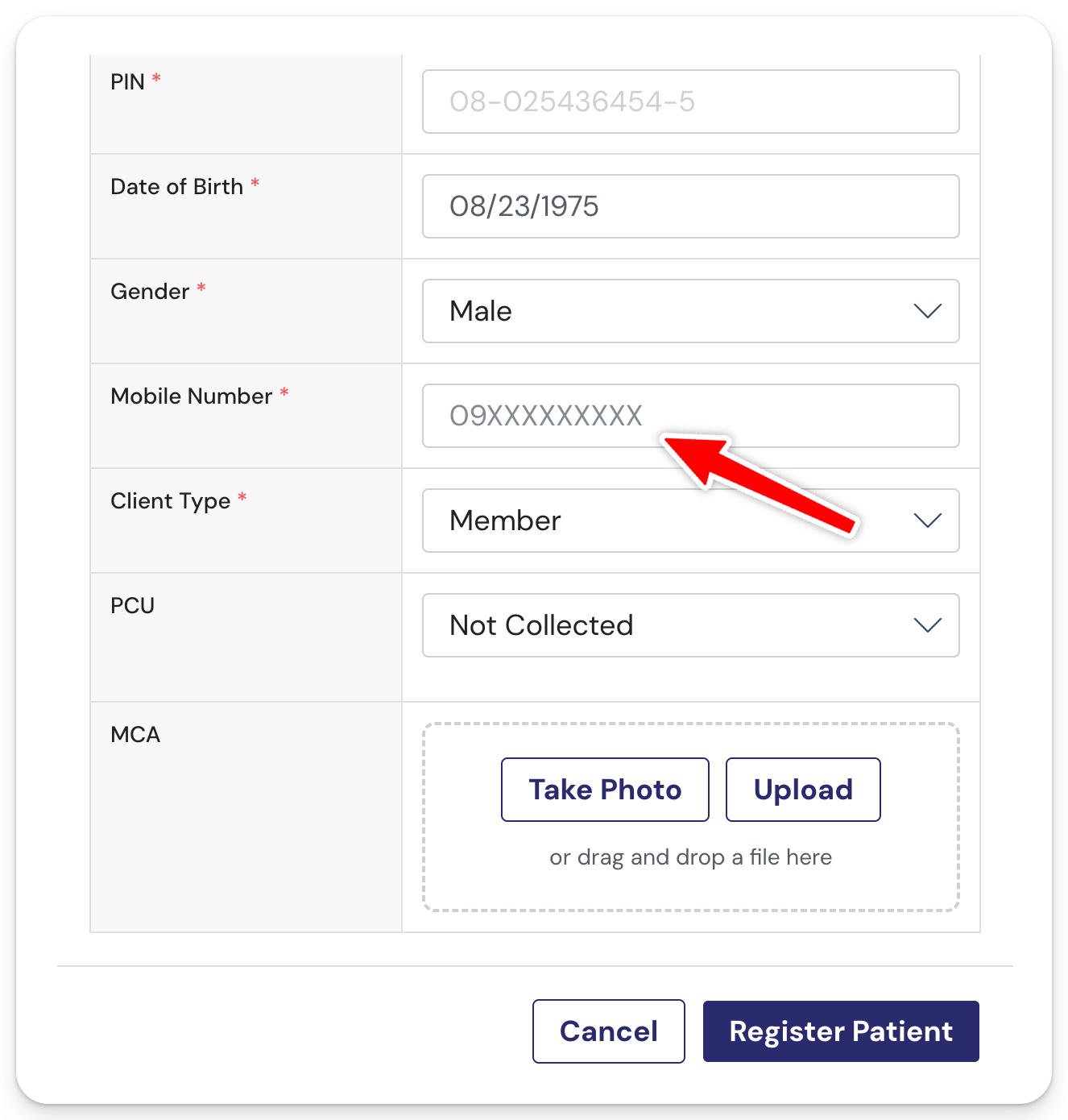
Optional: You may upload the PCU liveness check result and MCA from here. You can upload them now, or any time before submission.
Step 4: Click Register Patient
The patient is now in your Daily Visit list, ready for the First Patient Encounter (FPE).
If the patient says they'll register to our facility eventually but isn't enlisted yet, can I still capture the FPE today?
Yes. Here's how:
Step 1: From Daily Visits, click + Add Patient
Step 2: Search by PIN or Patient Name
You most likely won't find them, so the search will show "No patients found." Click + Create New Patient to add them anyway.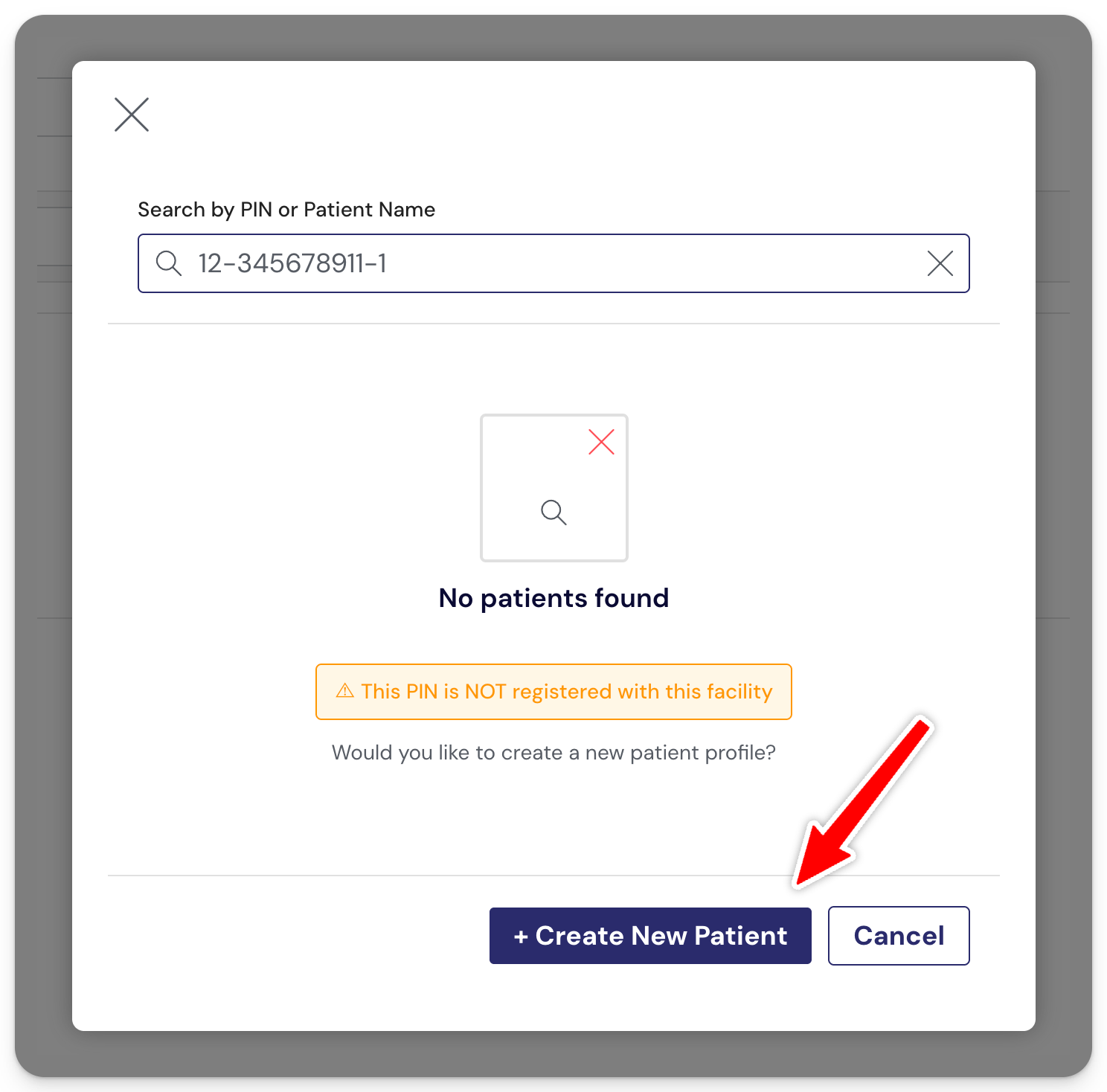
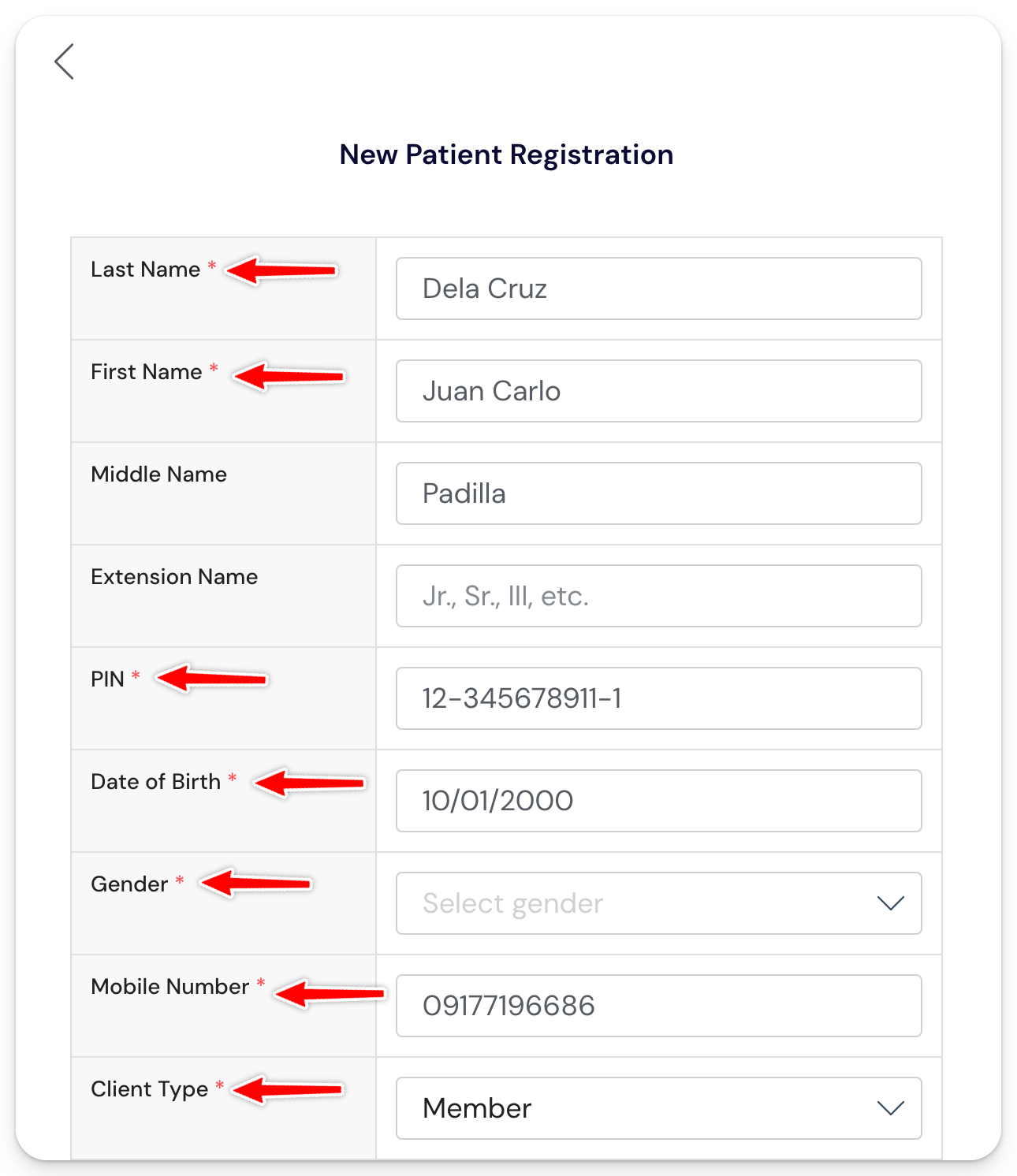
Step 3: Fill out the required details
⚠️ Make sure these details match exactly what the patient will use when they enlist with PhilHealth. A typo or missing middle initial can block your claim later.
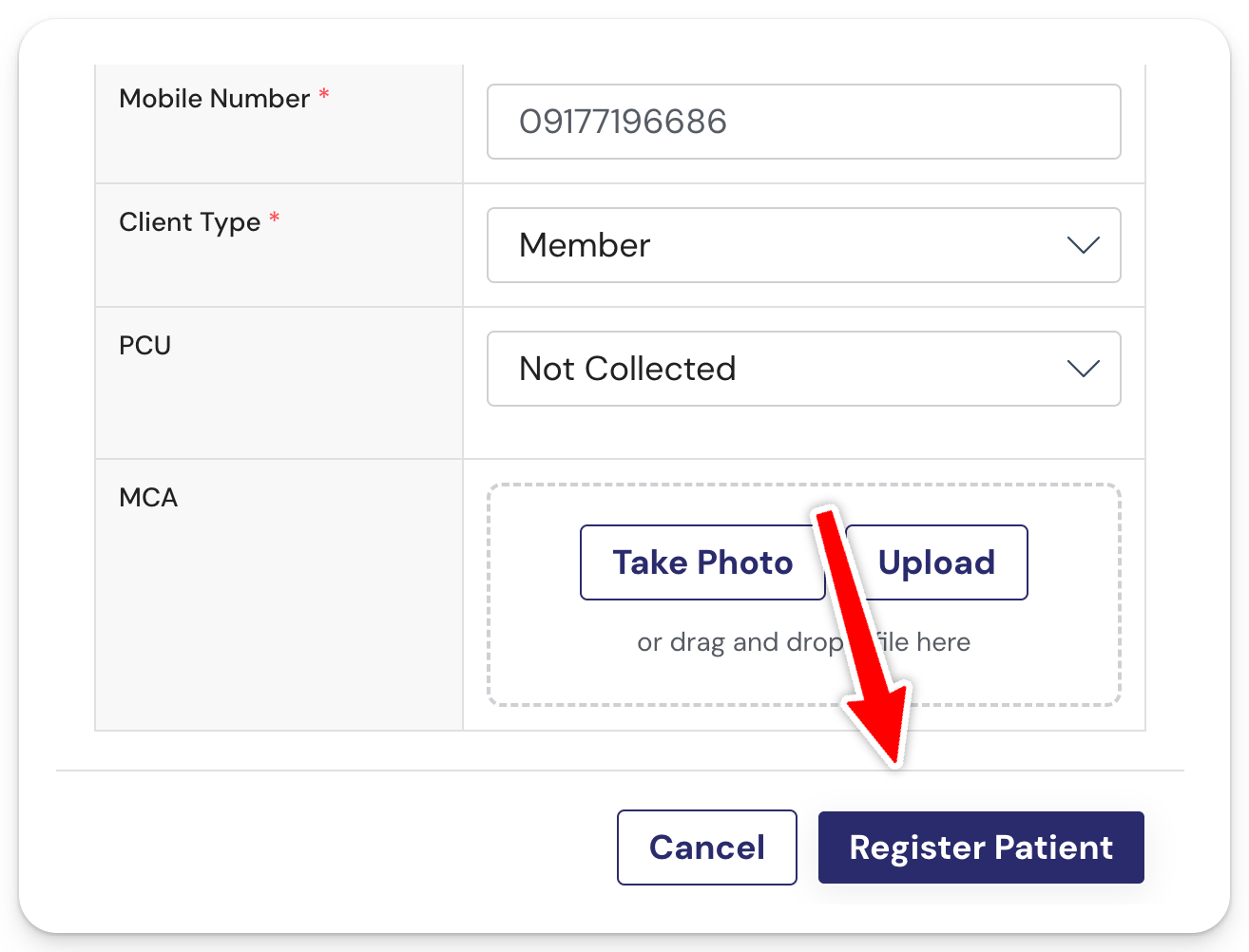
Step 4: Click Register Patient
📌 IMPORTANT: Adding a patient this way does not automatically register them to your facility. They still have to register through the normal PhilHealth process (for example, via the eGov app).
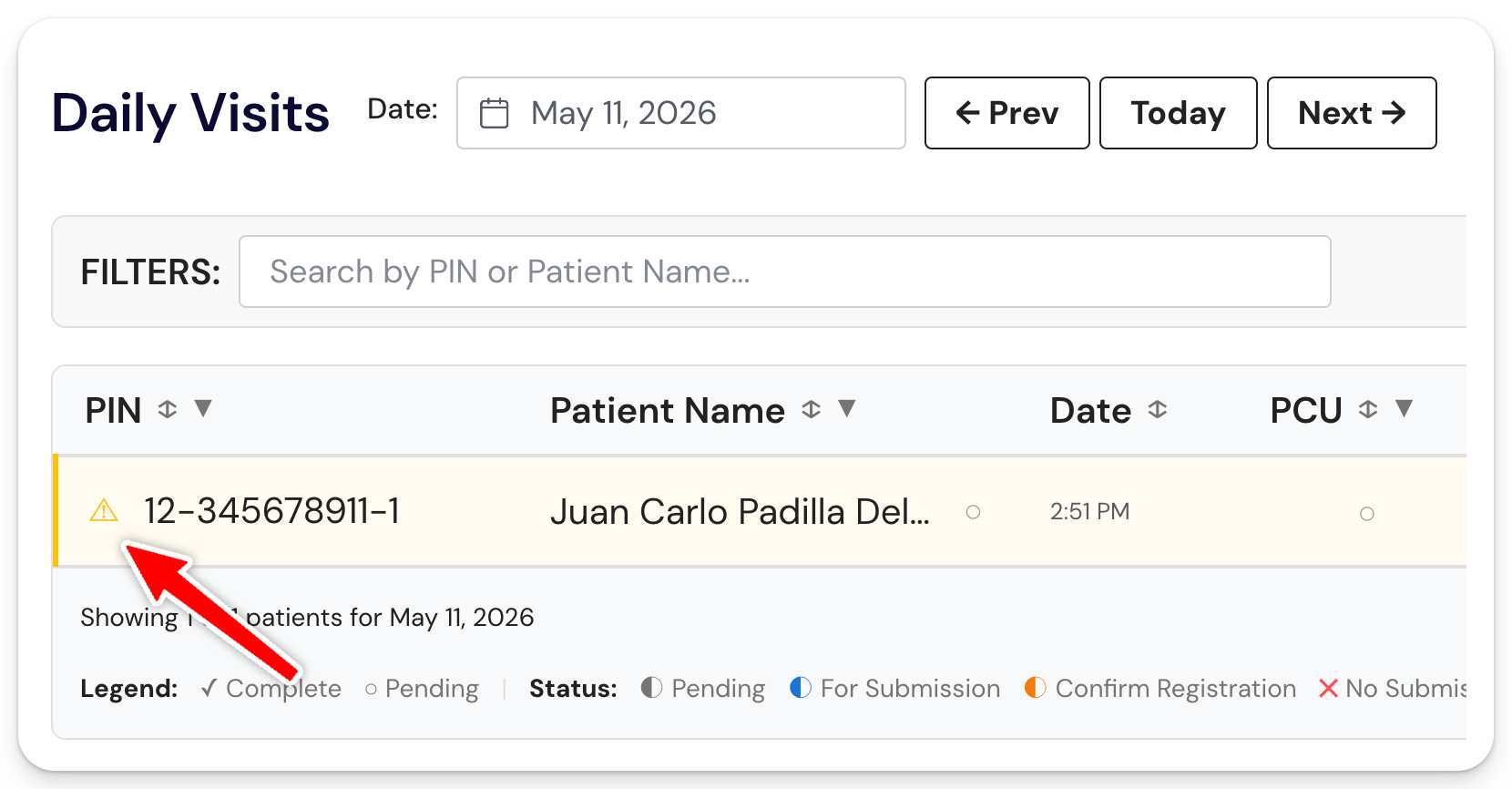
The patient will appear in your Daily Visit list. You'll see a ⚠️ icon beside their PIN, and the whole row will be highlighted yellow.
This is the system's way of flagging that the patient was added manually and isn't in your Masterlist yet.
You can now open the patient record and proceed with the FPE.
⚠️ Heads up: There's always a chance the patient won't end up registering after the visit. If that happens, the case will stay stuck and you won't be able to submit the claim.
OPTIONAL: Add a patient to your Daily Visit using the PCU Checker App
Instead of adding the patient manually, you can use the PCU Checker App as a front-desk tool. It handles the Liveness Check, Enlistment Verification, and MCA in one flow, then automatically sends the patient to your Daily Registration list in SMD YAKAP.
This saves you from uploading PCU and MCA manually later.
For the full walkthrough, see How to add a new patient using the PCU Checker App.
