

Quick summary:
Every patient does the Digital YES: a second liveness check (PCU 2) that serves as the patient's consent to the Yakap Empanelment Slip in the HCI portal.
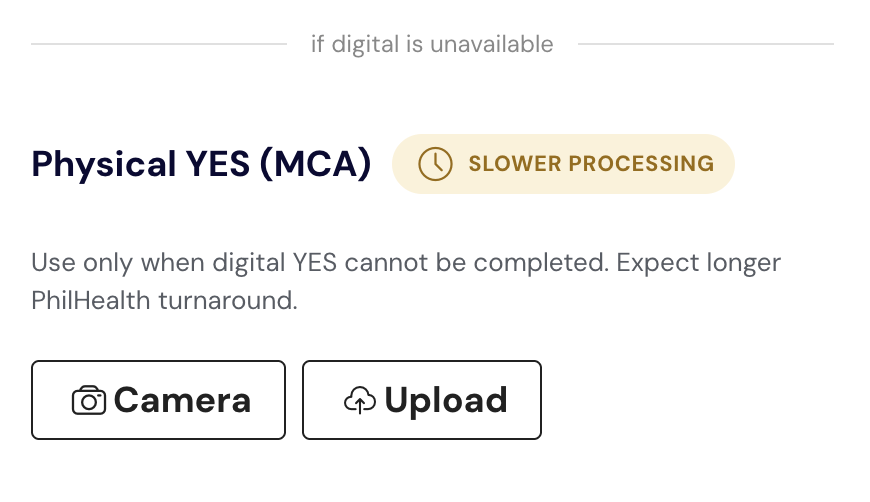
The physical MCA is only a backup, for when the PCU check fails. It is done on top of the Digital YES, not instead of it.
This is based on PhilHealth Advisory PA 2026-0029.
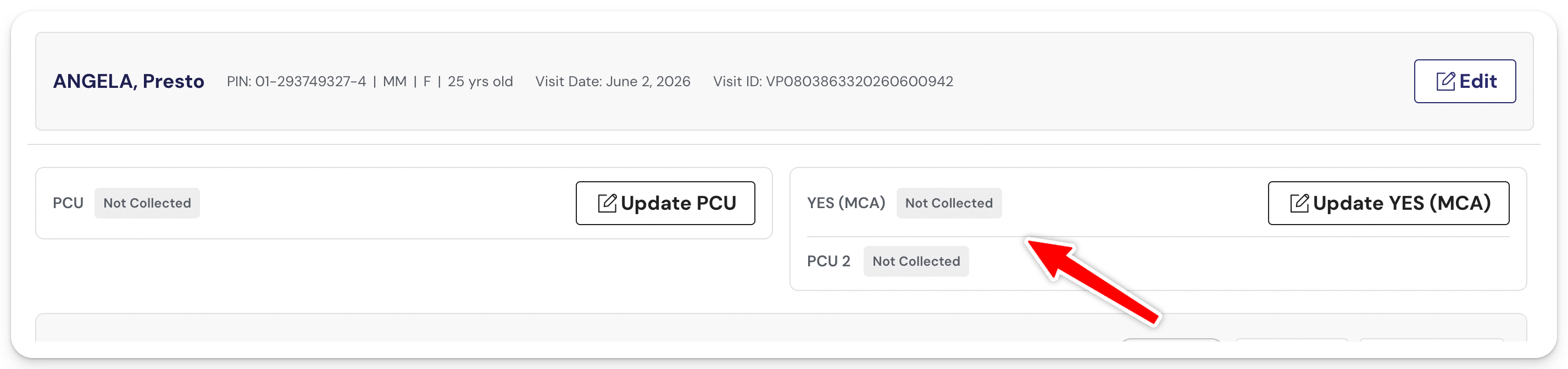
Step 1: Do the Digital YES for every patient
The Digital YES is done once, during the patient's first visit or FPE. The date of the PCU 2 has to be the same date as the FPE or first visit. Succeeding visits only need PCU 1.
While the patient is still at your facility on that first visit:
- Do the second liveness check (PCU 2).
- Note the PCU 2 transaction number.
- Enter the transaction number in the HCI portal under YAKAP › Empanelment Slip, on the same day.
- Record the same number under Update YES (MCA) › PCU 2 Transaction Number in your SMD YAKAP account.
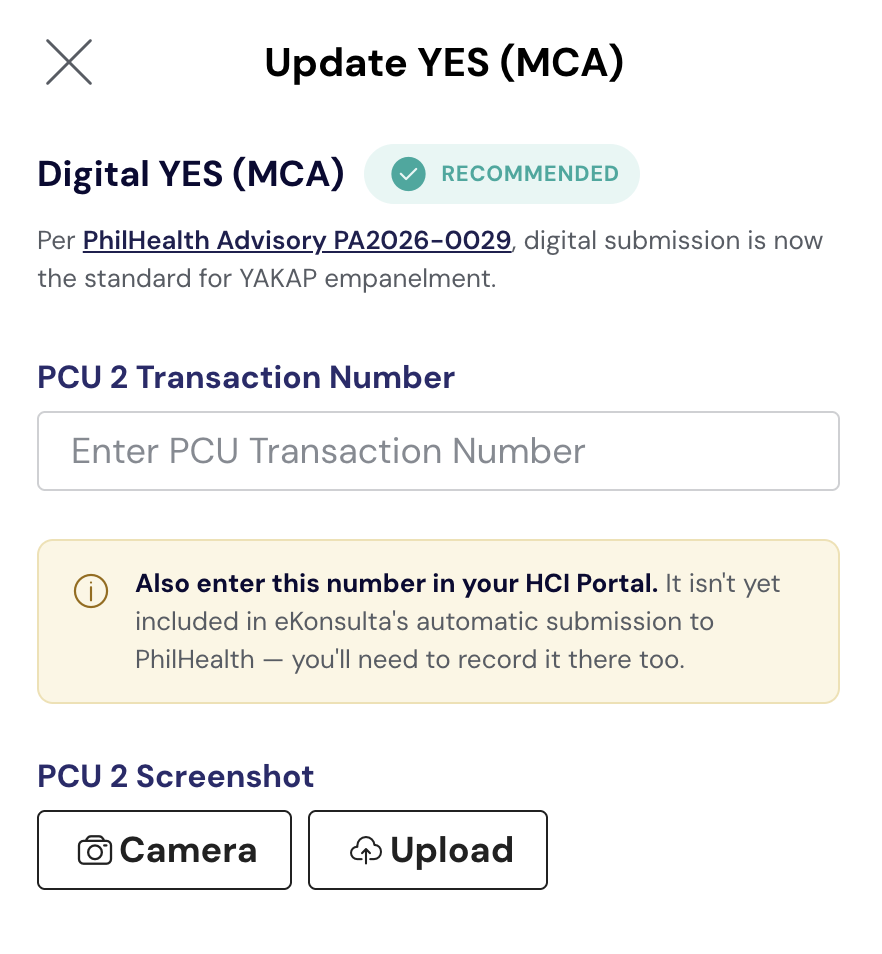
📌 The PCU 2 transaction number in SMD YAKAP is for your own recording only. We do not submit it to PhilHealth. Submission happens in the HCI portal.
⚠️ Finish this before the patient leaves. Liveness can only be done with the patient present, and it can't be backdated. If the PCU 2 is done on a later date, it won't match the FPE date, and you'll see an orange ⚠ on the MCA column of your Daily Visit List.
Step-by-step here: The new Digital YES requirement: what changes in your SeriousMD YAKAP workflow
Step 2: If the PCU fails, also have the physical MCA signed
Whenever the PCU fails, the patient also signs a physical MCA. This usually happens when the patient has no PhilSys or national ID, which is common for dependents, like children.
- Still enter the transaction number in the HCI portal. A failed result still shows a transaction number as long as the patient has a PIN. Use that for the Digital YES. No need to tick "PCU transaction not available."
- Have the patient sign a physical MCA. For a dependent, the parent or guardian signs.
- Save a copy of both in your SMD YAKAP account. In the same Update YES (MCA) window:
- Enter the transaction number under PCU 2 Transaction Number.
- Upload a screenshot of the failed PCU 2 result under PCU 2 Screenshot.
- Upload the signed MCA under Physical YES (MCA).
- Submit the physical MCA to PhilHealth the way your LHIO wants to receive it, physically or digitally.
📌 Like the Digital YES, everything you save in SMD YAKAP here is your own copy. We do not submit it to PhilHealth.
⚠️ Heads up on the negative list: PhilHealth has informed us that all patients with a failed PCU result automatically end up in the negative list. You can still proceed with the visit, FPE, consult, and submission as usual.
