

✏️ PhilHealth released an advisory introducing the Digital YES (YAKAP Empanelment Slip). The Digital YES is now required for every YAKAP patient. Here's what it means for the way you use SeriousMD YAKAP.
📌 See the full PhilHealth advisory for the official details:
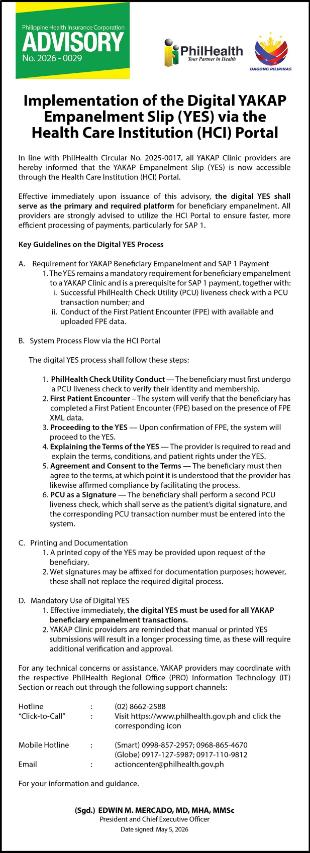
What's changing:
Until now, you only needed one PCU liveness check per patient. Under the new advisory, you'll do two:
1. First liveness check — the standard one, confirming the patient is physically present. This happens during your normal patient intake.
2. Second liveness check — this serves as the patient's way to "sign" and consent to the Digital YAKAP Empanelment Slip (YES). This happens later, in the HCI portal, when you complete the YES (steps below).
✏️ When: the Digital YES is done once, during the patient's first visit or FPE. The date of the PCU 2 has to be the same date as the FPE or first visit. Succeeding visits only need PCU 1.
Does this affect how I use SeriousMD YAKAP?
Not much, actually. Encoding and submitting in SeriousMD YAKAP stays exactly the same. The only two things to remember are:
- Capture two PCU liveness checks on the patient's first visit
- Take note of the two PCU transaction numbers
How this shows up in the HCI portal
When you submit Tranche 1 cases through SeriousMD YAKAP, your profiling automatically reflects in the HCI portal. You don't need to download the individual XML file for each patient (but this is still possible through SMD YAKAP).
To check, search for the patient in the portal. You'll see one of two states:
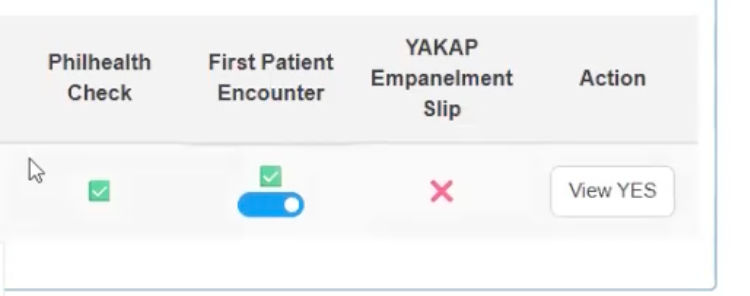
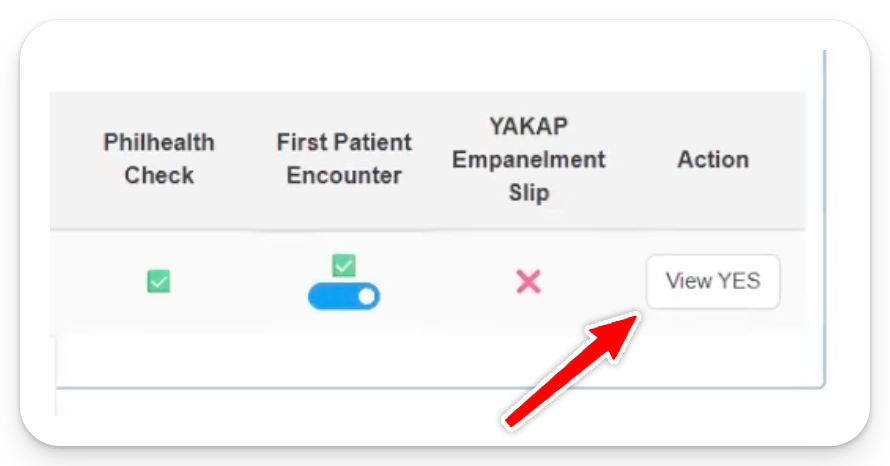
First Patient Encounter toggled ON (with a checkmark): PhilHealth received the XML file for this patient based on your submission through SeriousMD. Nothing more to do on this part and can proceed with YES.
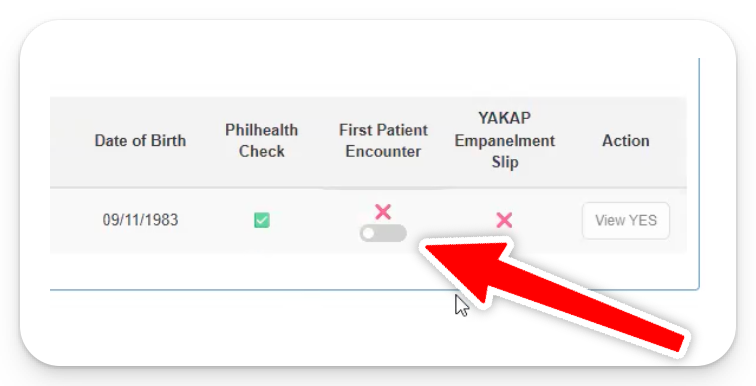
First Patient Encounter toggled OFF: You either haven't completed profiling yet, or you haven't submitted the Tranche 1 case for this patient. You can still toggle it on manually and proceed with YES.
Step 1: Toggle First Patient Encounter on
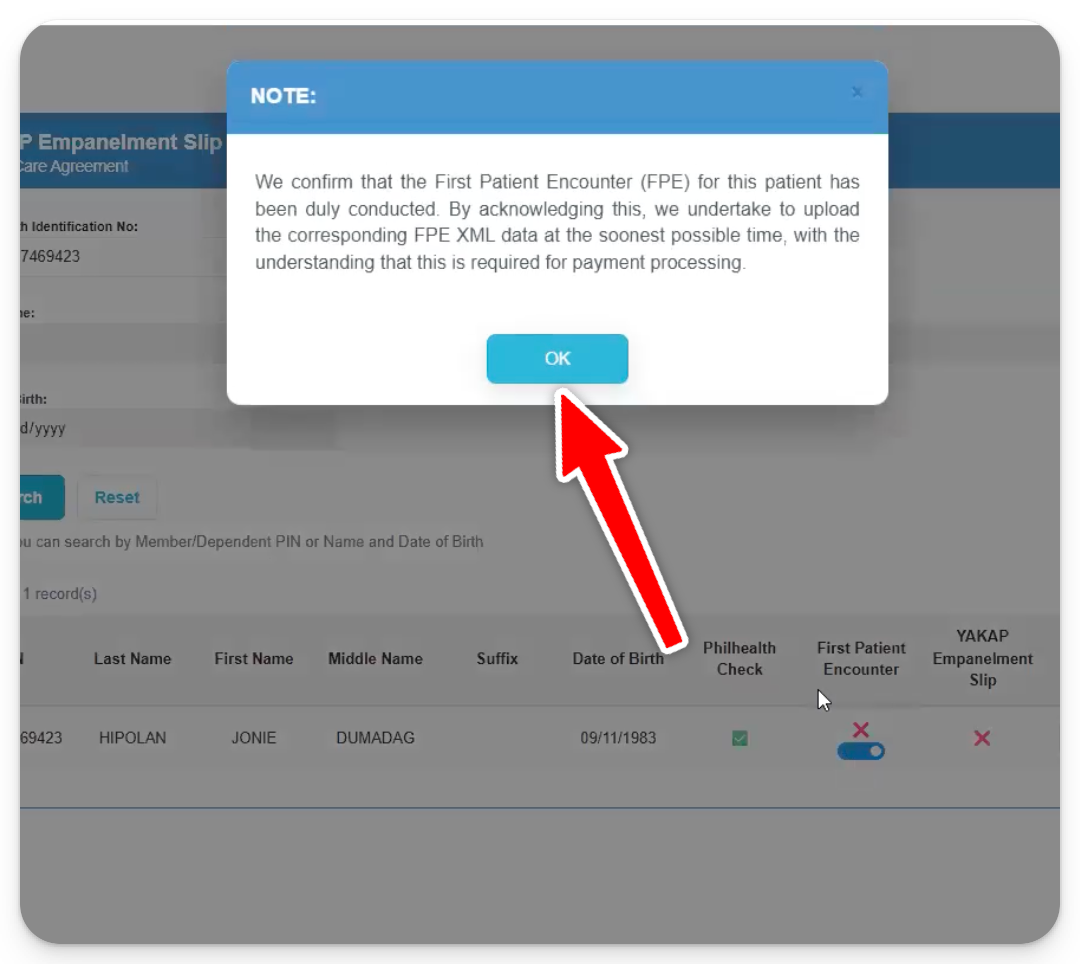
Step 2: You'll get a prompt. Click OK. This confirms you've done the FPE and will submit the patient's XML file.
Step 3: Click View YES to proceed to the YAKAP Empanelment Slip
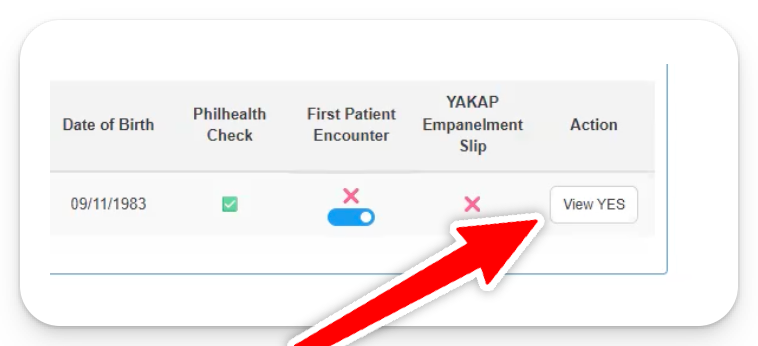
How to complete the Digital YES
Step 1: Click View YES
Step 2: Click Beneficiary Agree
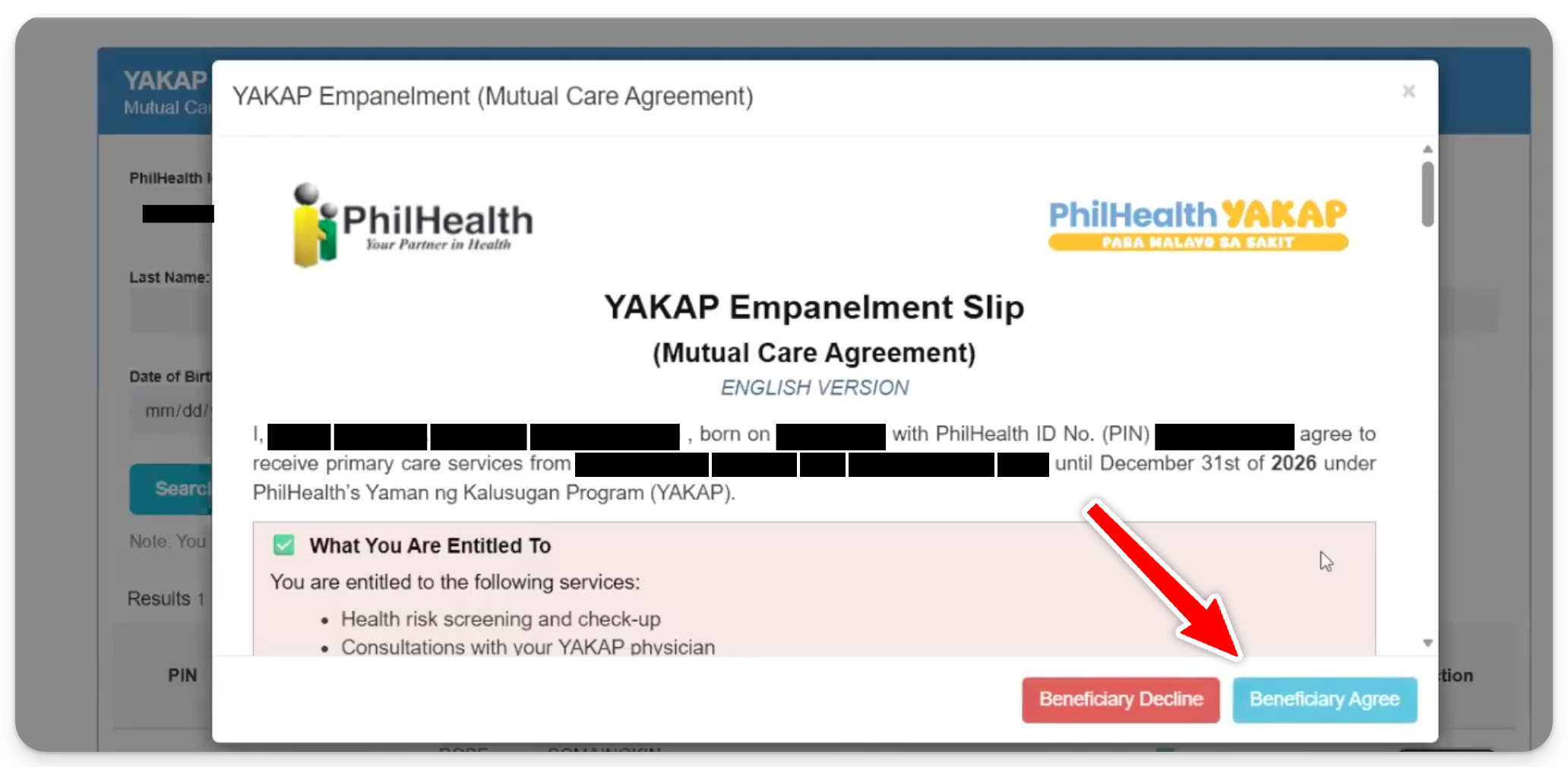
- Take note of the transaction number, and enter it in the HCI portal the same day
Step 3: Do a PCU liveness check at https://pcu.philhealth.gov.ph/consent
Step 4: Enter the transaction number then Submit.
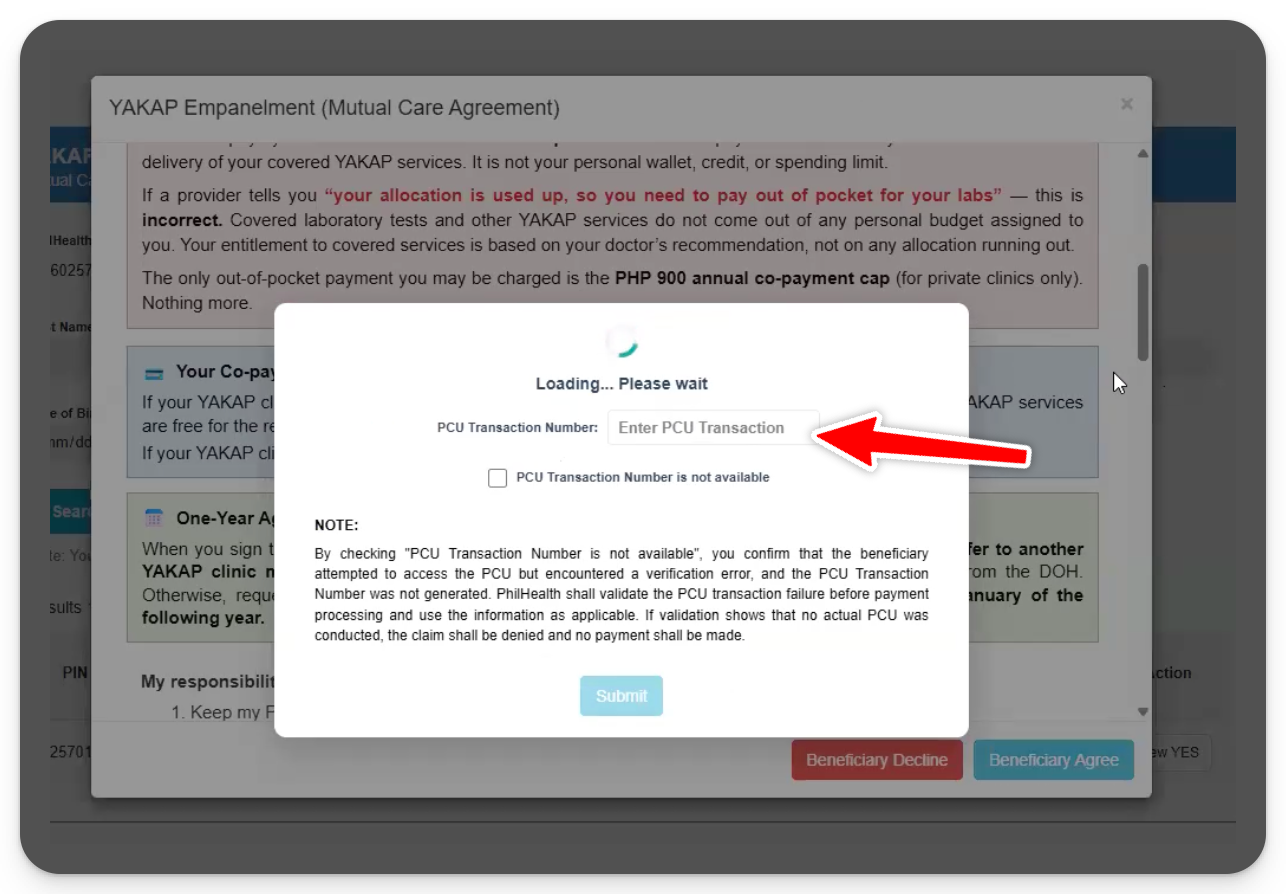
Same-day rule: the transaction number has to be entered the same day the second PCU was done.
The HCI portal rejects PCU results from a previous date. A rejected one means repeating the PCU with the patient, so please finish Step 4 before the end of the day.
Frequently Asked Questions
1. Is the physical MCA still accepted?
- Only as a backup when the PCU fails. The Digital YES is required for every patient, and the physical MCA is signed on top of it, not instead of it.
2. Do I still need to upload the PCU and MCA inside the patient's record in SeriousMD YAKAP?
- Record the PCU 2 transaction number under Update YES (MCA) › PCU 2 Transaction Number in the patient's visit.
- This is for your own records only. We do not submit it to PhilHealth. The Digital YES is submitted through the HCI portal.
- If the PCU failed, also upload the failed PCU 2 screenshot and the signed physical MCA in the same window. See FAQ 5.
3. I'm using SeriousMD's PCU Checker App. What do I do with that?
- With the latest version of the PCU Checker App, you only record one PCU liveness check. The Digital YES is still done in the HCI portal.
- You only need to print a physical MCA and have the patient sign it if the PCU fails.
4. I did the second PCU yesterday but forgot to enter the transaction number. Can I still use it?
- No, the HCI portal only accepts a transaction number on the day the PCU was done. You'll need to do another PCU with the patient and enter the new number that same day.
5. The patient's PCU failed. What do I do?
This usually happens when the patient has no PhilSys or national ID, which is common for dependents, like children.
- A failed result still shows a transaction number as long as the patient has a PIN. Enter that in the HCI portal for the Digital YES. No need to tick "PCU transaction not available."
- Have the patient sign a physical MCA. For a dependent, the parent or guardian signs.
- Heads up: PhilHealth has informed us that all patients with a failed PCU result automatically end up in the negative list. You can still proceed with the visit, FPE, consult, and submission as usual.
- If the PCU returns no transaction number at all, see: PCU Checker returning "Unexpected error. Transaction No: null"
6. Why is there an orange ⚠️ on the YES (MCA) column?
- The PCU 2 date doesn't match the FPE date. This happens when the Digital YES is done on a later visit instead of the patient's first visit.
- See: Why is there an orange ⚠️ on the PCU or YES (MCA) column?
