

PCU checker showing "Unexpected Error", Verification Failed or a null transaction number? Here's what to do
Quick summary: When you see something like this, it could mean that PhilHealth's PCU system may be running slow.
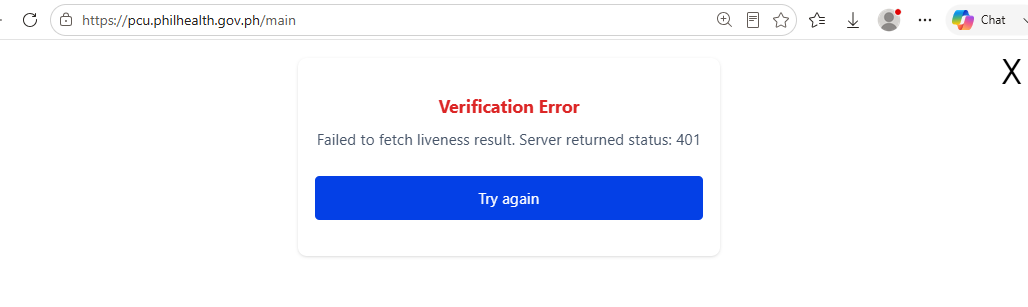
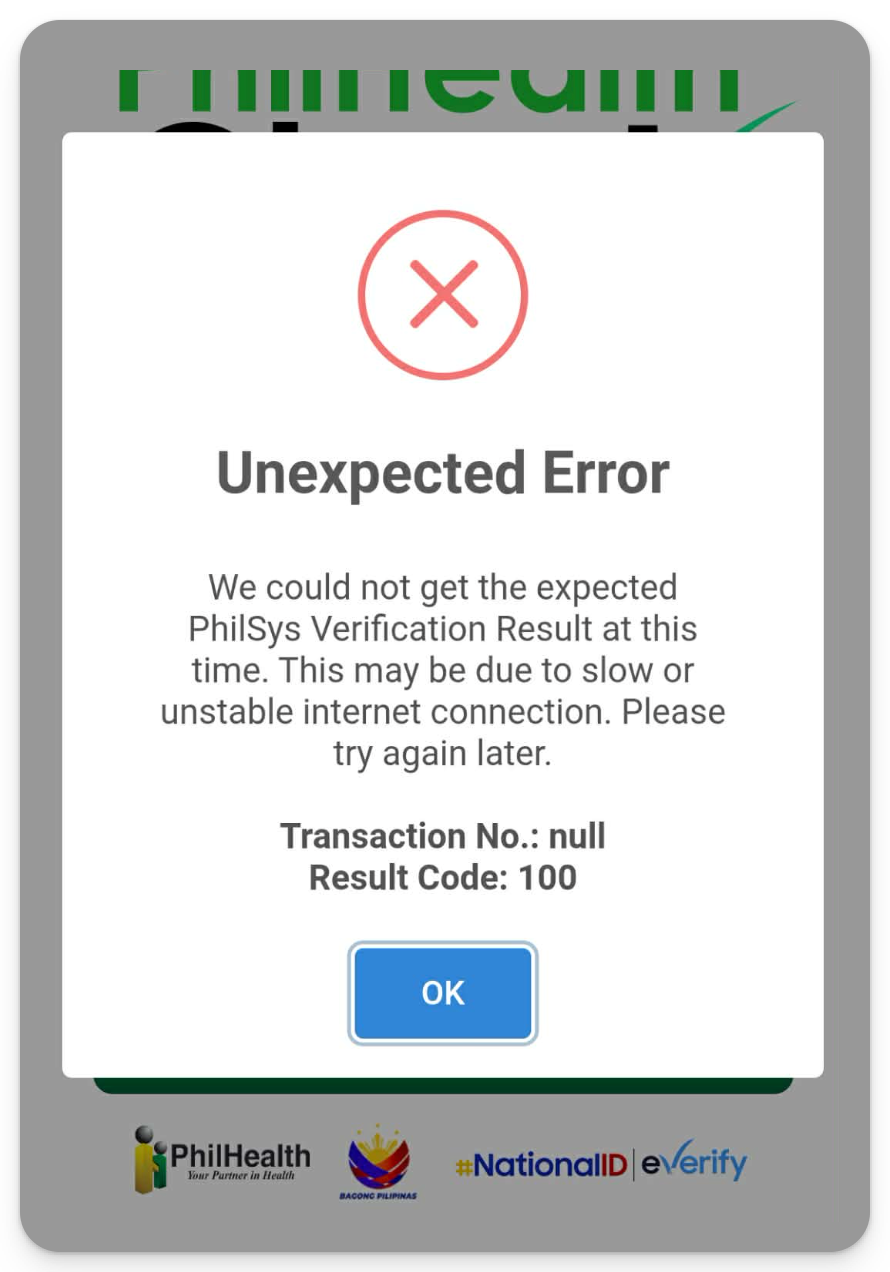
You can still cater your patients. Document the error, capture the patient's photo and valid ID, tick "PCU Transaction Number is not available" for the Digital YES inside the HCI portal, and have the patient sign a physical MCA.
First, try again
Some facilities do get through on a retry, so it's worth one more attempt at https://pcu.philhealth.gov.ph/consent before you switch to manually recording the patient.
If it still fails, here's what you need to do:
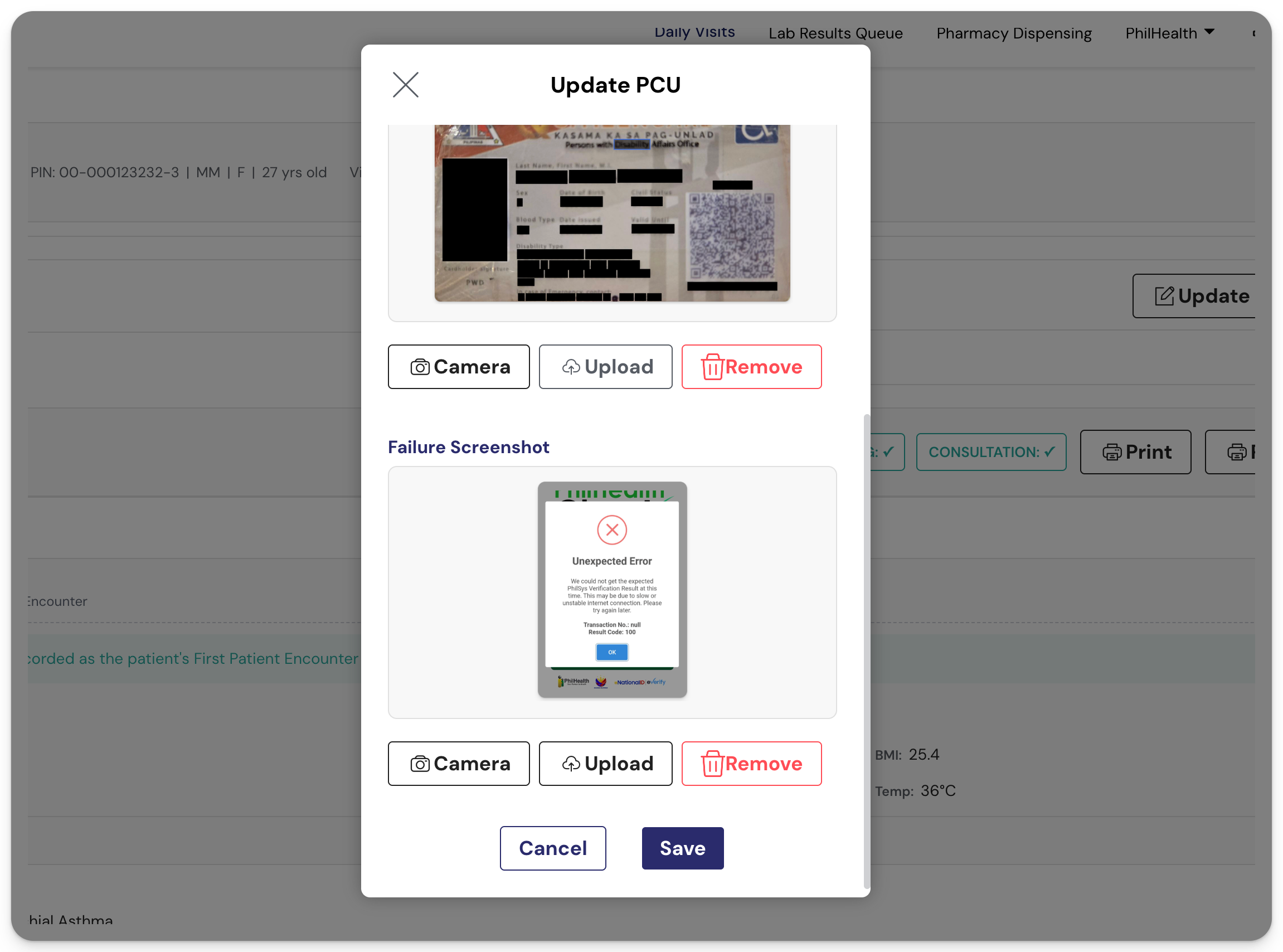
Step 1: Capture the error (take a screenshot of the error)
Step 2: Take a photo of the patient and their valid ID.
Step 3: Record it in your SeriousMD YAKAP.
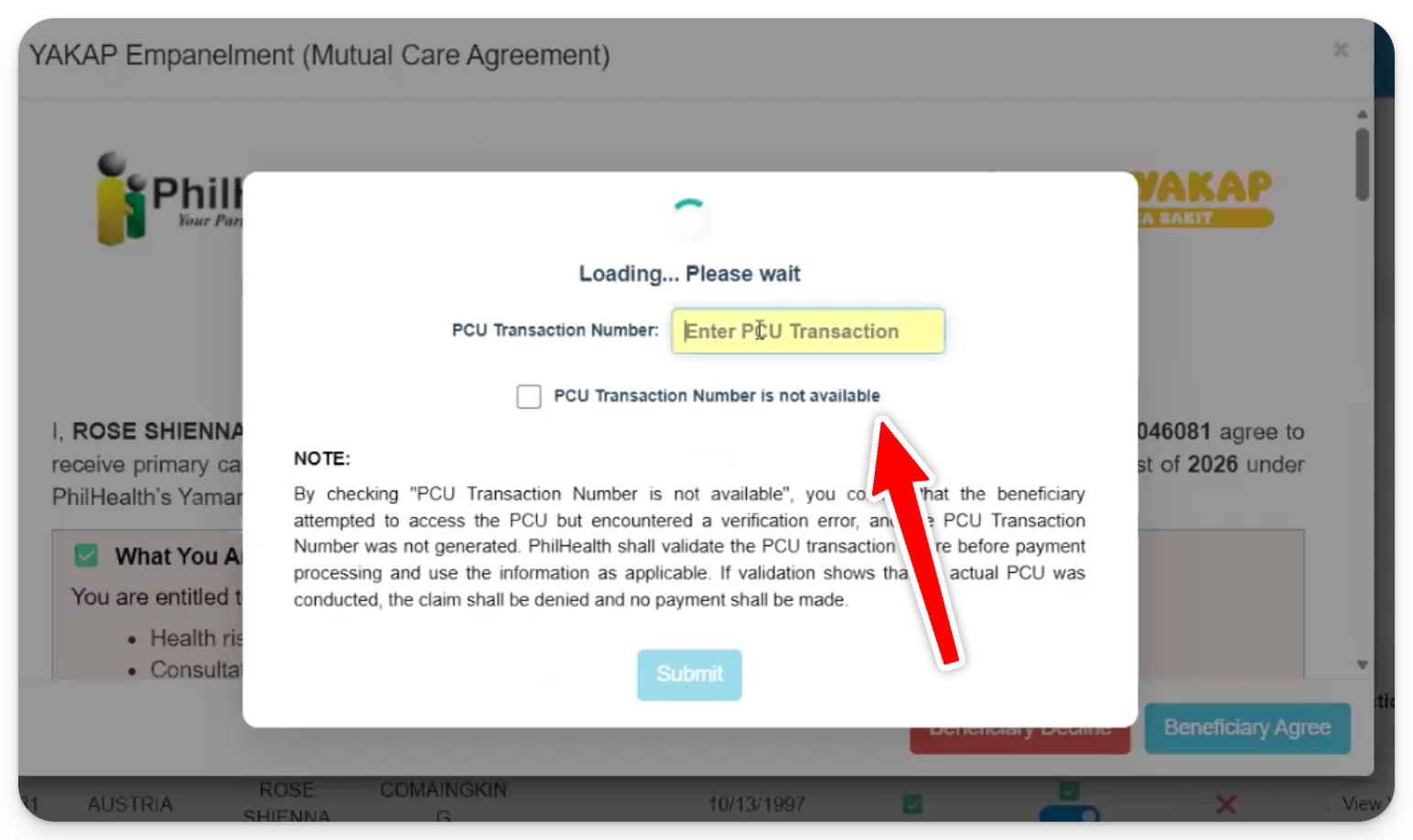
For the Digital YES in the HCI portal, tick "PCU Transaction Number is not available." since there's no transaction number to enter.
Note: Have the patient sign a physical MCA for your own record keeping.
