

Quick answer
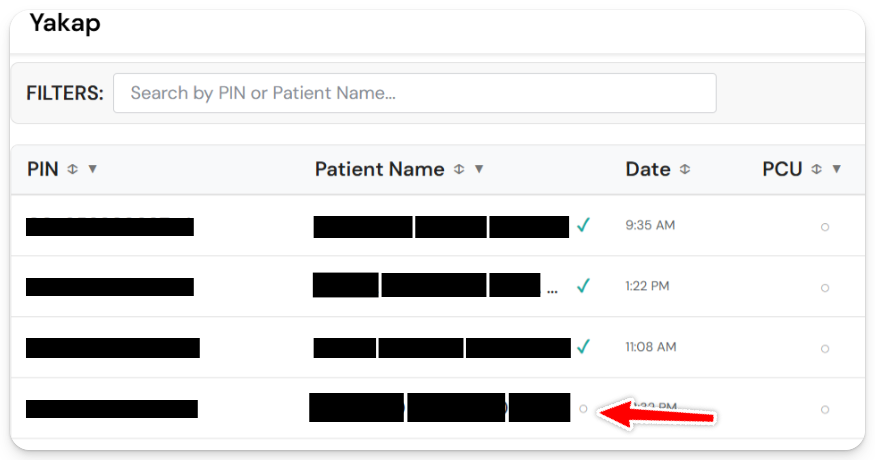
The green check beside a patient's name means the patient is registered and already imported from your masterlist.
In Daily Visits, a patient who isn't imported yet shows a small circle (○) instead of the check. The legend at the bottom of the page labels it Pending.
How to fix it: import from the masterlist
1. Go to PhilHealth > Import Masterlist.
2. Set a date range for the records you want to pull.
Tip: span the period since your last import with a small buffer on both ends, so nothing gets missed. Example: if you last imported April 1 and today is May 1, set March 28 to May 5.
3. Click Import from PhilHealth and wait for it to finish before leaving the page.
Once the import is done, the patient should show up when you search in Daily Visit, and completed visits will show For Submission status.
Getting a 404 error? That just means there are no new patients registered within the date range you set. Try widening the range.
