

Once you have cases with a For Submission status, you can transmit them to PhilHealth. Here's how:
📌 Only cases with the For Submission status get sent. If a case is on Confirm Registration, No Submission, or Pending, you'll need to resolve those first.
See: Why is my patient's status showing "Confirm Registration"? and What does "No Submission" mean?
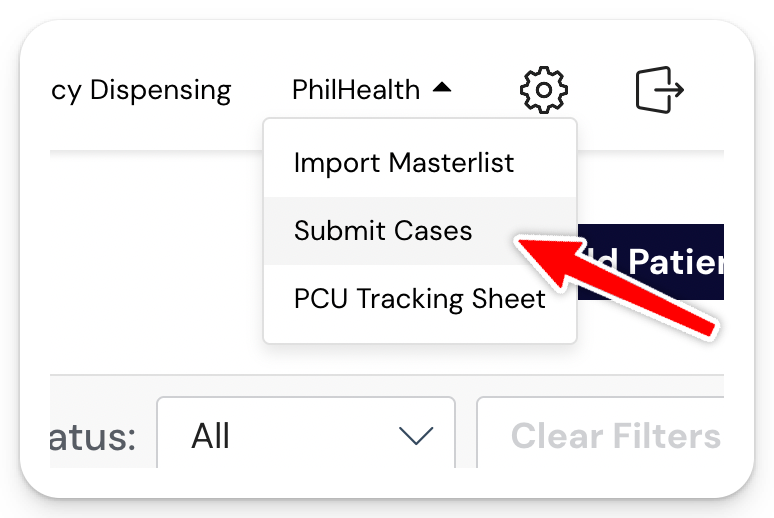
Step 1: Go to PhilHealth and click Submit Cases
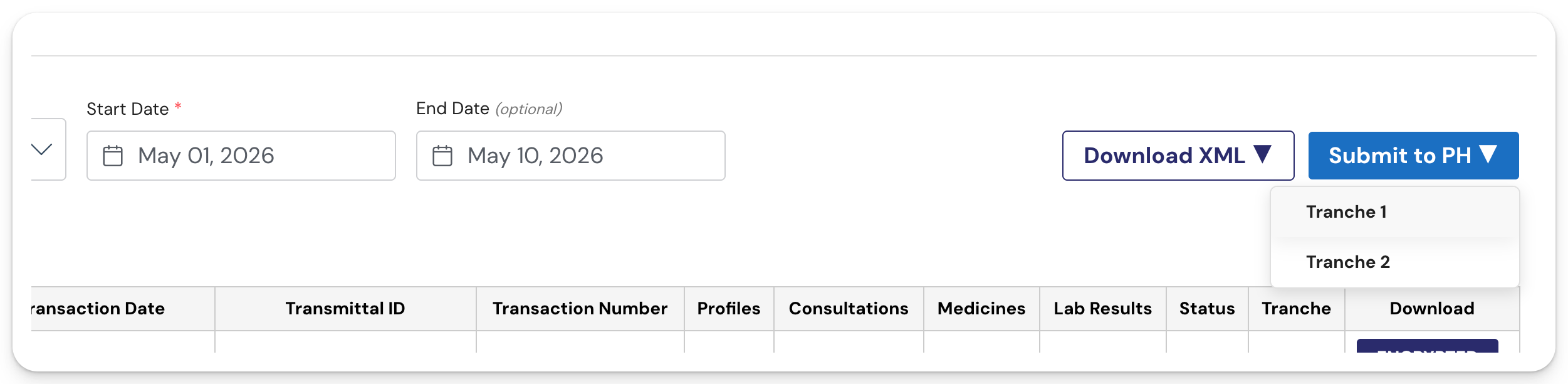
Step 2: Enter the date range
Set the range to cover the visit dates you want to include in this submission.
Step 3: Click Send to PH
Step 4: Choose Tranche 1 or Tranche 2
⚠️ Note: You can submit again later
If you finish encoding more cases after your initial submission, just submit again. The system will only send cases that haven't been transmitted yet, so there's no risk of duplicate submissions.
Example: Say you have 10 patients for May 5. Eight are at For Submission status, so you submit on May 5. The next day, you finish encoding the remaining two and they move to For Submission. When you submit again, only those two new cases will go through. The eight you already sent won't be re-submitted.
The different submission options
Before sending your Tranche 1 or Tranche 2 submission, you'll see three options for what to include:
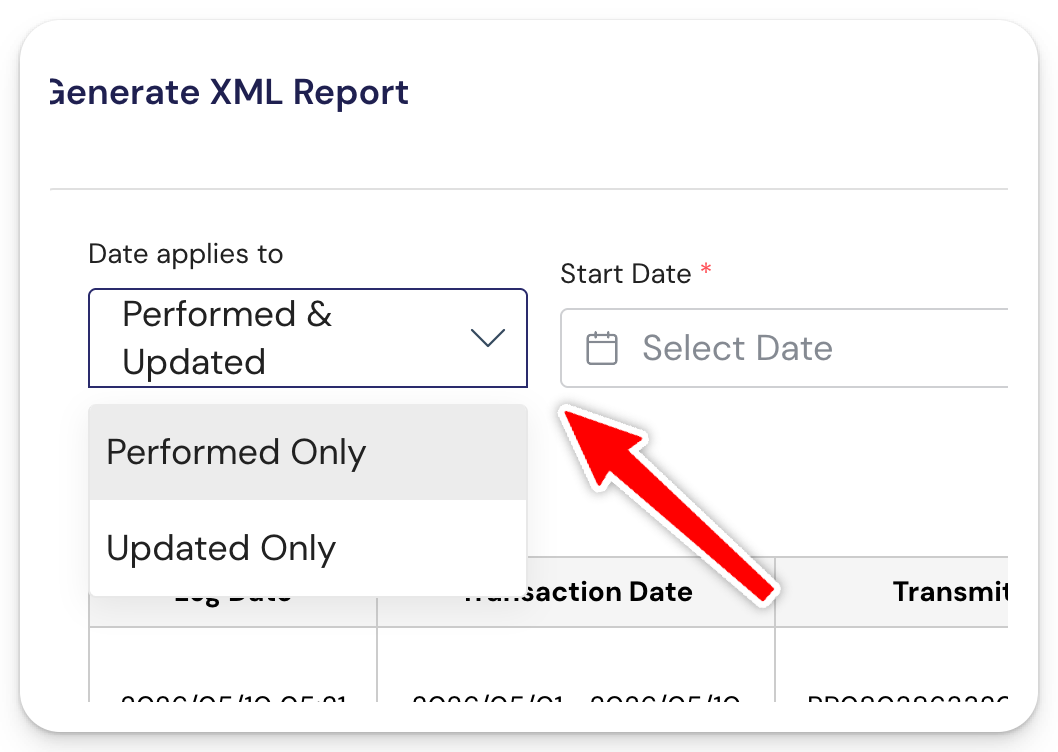
- Performed Only — Includes cases within your date range where the patient was added to Daily Visit (i.e., the visit was performed during this period).
- Updated Only — Includes any lab results or prescription dispensing that were encoded or updated within your date range, even if the visit itself happened earlier.
- Performed & Updated — Combines both. Sends cases with For Submission status from your date range, plus any lab and pharmacy dispensing updates from that same range.
📌 Performed & Updated is the safest default if you want to make sure nothing gets missed in one submission. Use Performed Only or Updated Only when you want to scope the submission more narrowly.
What you'll see after submission
All submitted cases land in Submission History, so you can review what was sent.
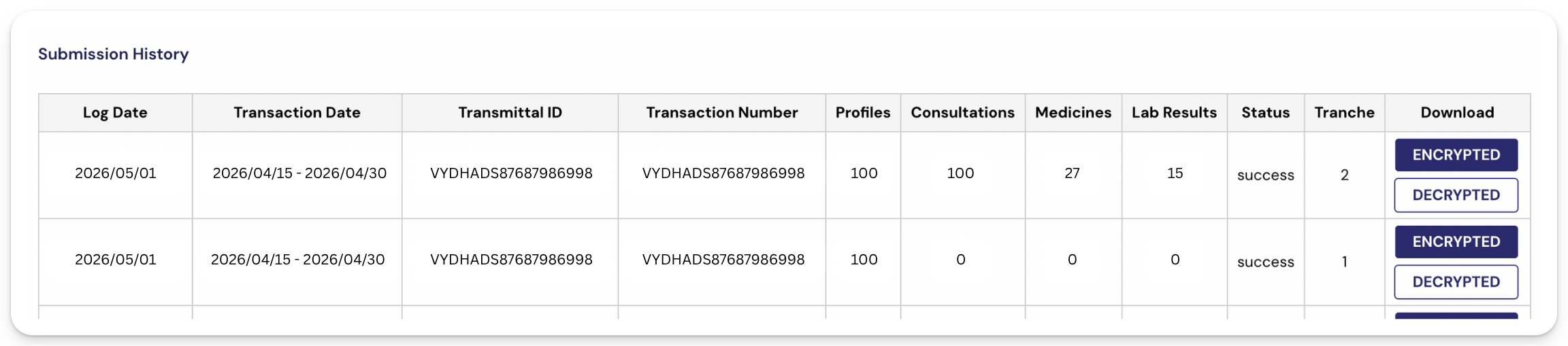
Tranche 1: You'll notice that profiles will have numbers, but consultations, medicines, and lab results will be 0. That's normal. Tranche 1 only covers profiling (FPE).
Tranche 2: Consultations, medicines, and lab results will reflect what you encoded during follow-up visits.
Reading the submission status
- Success: PhilHealth accepted the submitted cases. No further action needed.
- Failed: Contact the support team for help.
Frequently Asked Questions (FAQs)
1. Do I still need to download the XML file and upload to the HCI portal?
- Not necessary. The system already submits this on your behalf.
2. How often should I submit Tranche 1?
- The recommended practice is daily submission. However, you may also submit weekly or monthly batches.
⚠️ Important
If a batch becomes too large, the submission may fail. That’s why we generally recommend submitting more frequently in smaller batches rather than sending a large monthly upload all at once.
