

When to use this: The patient has already gone through their First Patient Encounter (FPE) with you in a previous visit, and is now back for a follow-up consult.
⚠️ Important: A PCU Checker liveness proof is required for every single visit, even returning patients. You can't skip this step.
Similar to when you're handling a patient who has yet to do profiling, you can:
- Have them go through the PCU Checker App (optional)
- Add them manually without going through the PCU Checker App
Using the PCU Checker App
Step 1: Open the PCU Checker App and perform a new Liveness Check
This captures fresh proof that the patient was physically present today. The MCA from their first visit is already saved, so you won't need to print or re-upload it.
Step 2: Confirm the patient is recognized
The system will detect their previous record and pull up their saved MCA automatically.
Step 3: Tap Register Patient
The patient will appear in your Daily Visits queue in SMD YAKAP with their previous FPE already saved.
Step 4: Open the record and complete Vitals, then proceed to the Consult
Vitals (Section 1) is always blank for returning patients and must be newly recorded for every visit. 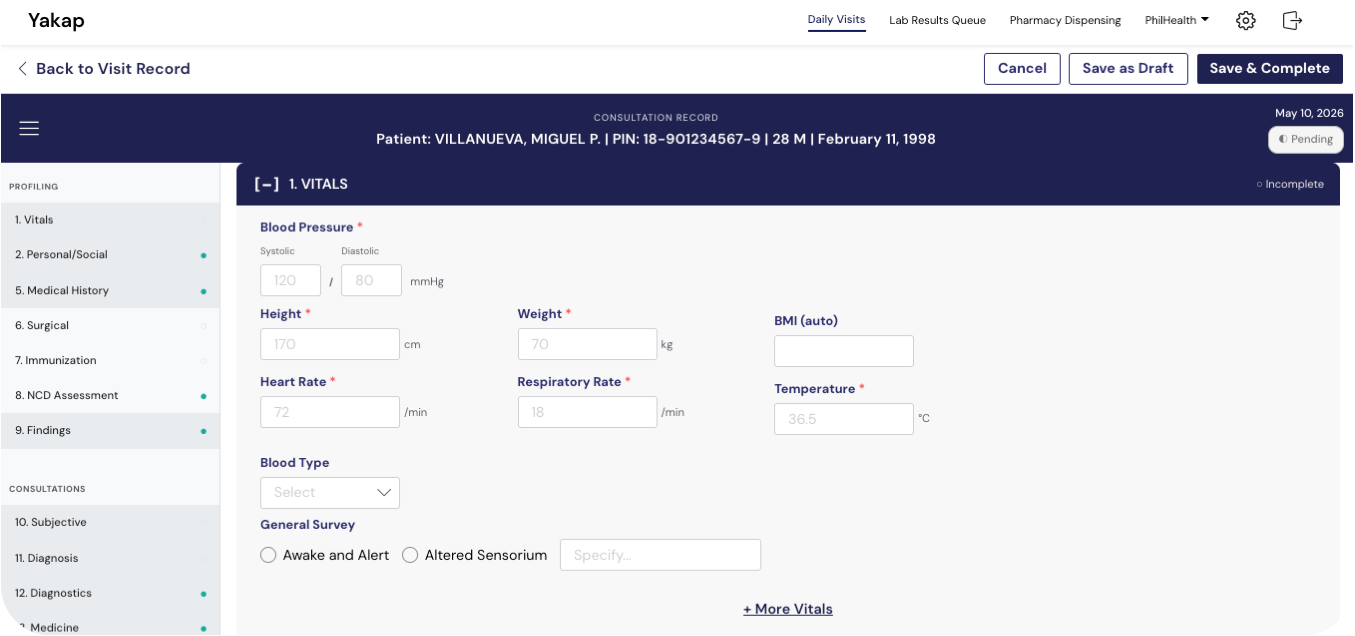 Once Vitals is done, you can skip ahead to Section 10 (Consultation), since the rest of the FPE sections (2 to 9) are already saved from the previous visit.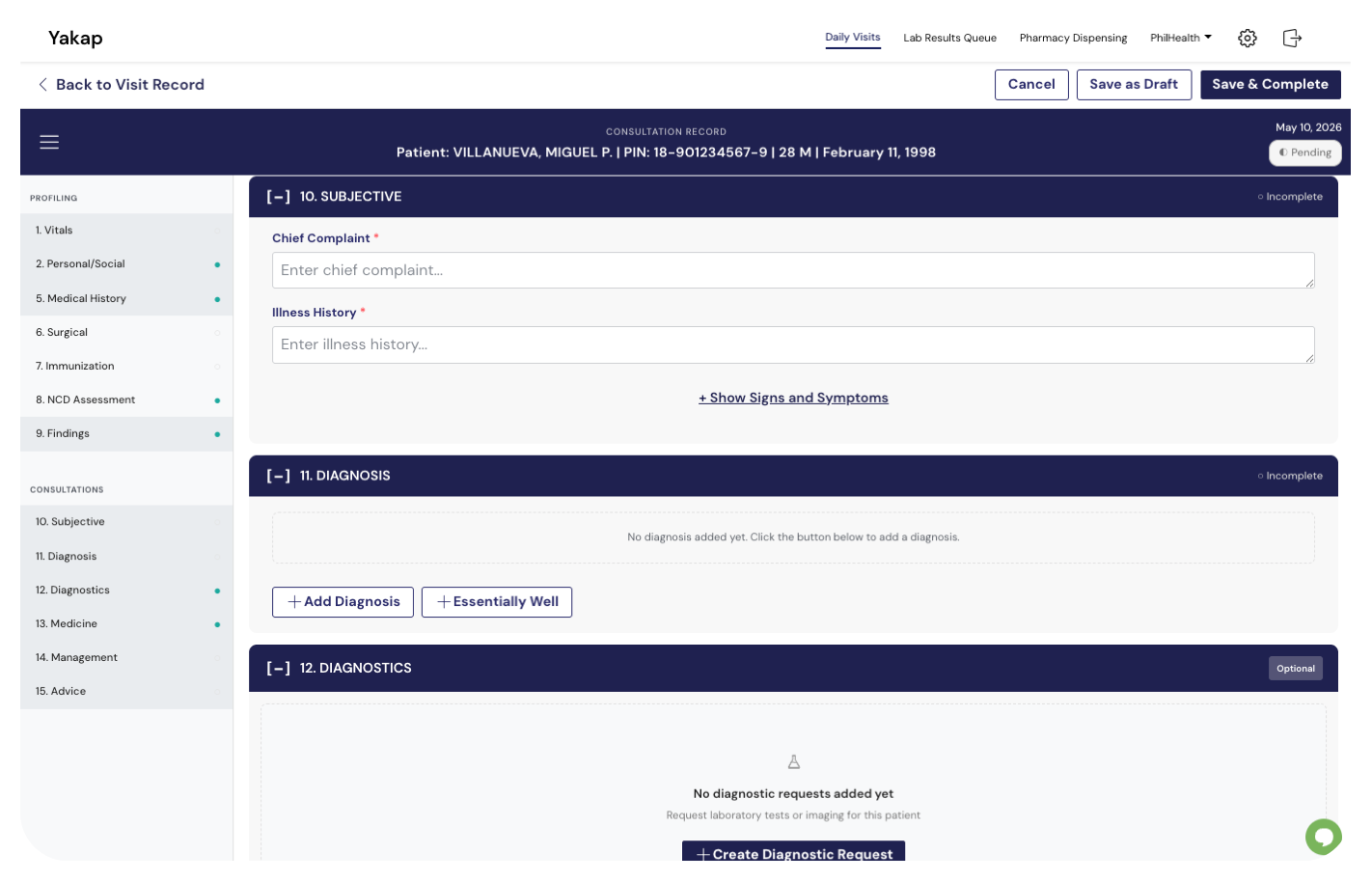
Without going through the PCU Checker App
When to use this: The patient has had a previous FPE with you, but you're not using the PCU Checker App today
📌 Heads up: This path is fine, but it's more work. You'll need to upload the PCU photo and the MCA into the patient record manually, since the app won't capture them automatically.
Step 1: Import your Masterlist (if you haven't recently)
This makes sure your search results are up to date.
Step 2: Open SMD YAKAP and go to Daily Visit
Click Add Patient.
Step 3: Search for the patient
Search by Name or PIN. Select the patient from the results. Only patients in your imported Masterlist will appear.
Step 4: Click Register Patient
"Register Patient" here just means adding them to your Daily Registration list for today. It does not re-register them to your facility (they're already registered from before). No need to enter a mobile number, since this was already collected during their initial profiling.
Step 5: Upload the PCU and MCA later (optional at this point)
You can skip the upload now and continue with the visit. Open the patient record afterwards to upload:
- Photo of the patient (taken today)
- Photo of valid government-issued ID
- Signed MCA (already on file from previous visit, but you may re-upload if needed)
Step 6: Open the record, complete Vitals, then proceed to the Consult
Same as the PCU Checker path: Vitals must be recorded fresh every visit. Sections 2 to 9 of the FPE will carry over from the previous encounter.
[Screenshot: Daily Registration > Add Patient flow for a returning patient]
