

1. Download the Installer
Open the link provided and download the appropriate file based on your Mac:
- Apple Silicon (M1/M2/M3) →
SMD Yakap PCU-1.0.0-arm64.dmg - Intel Mac →
SMD Yakap PCU-1.0.0.dmg
2. Install the Application
Once downloaded, double-click the
.dmgfile to open it.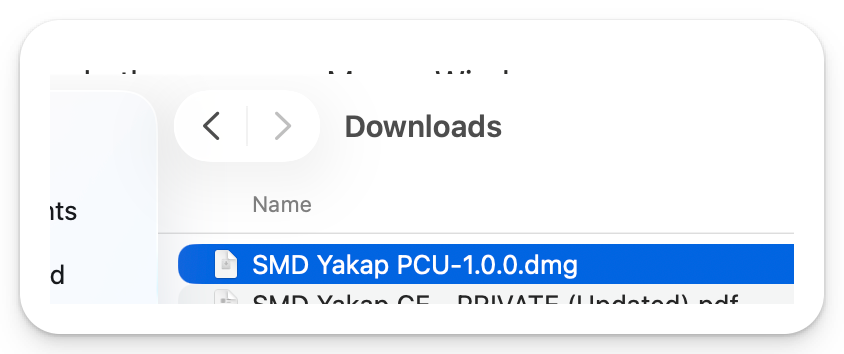
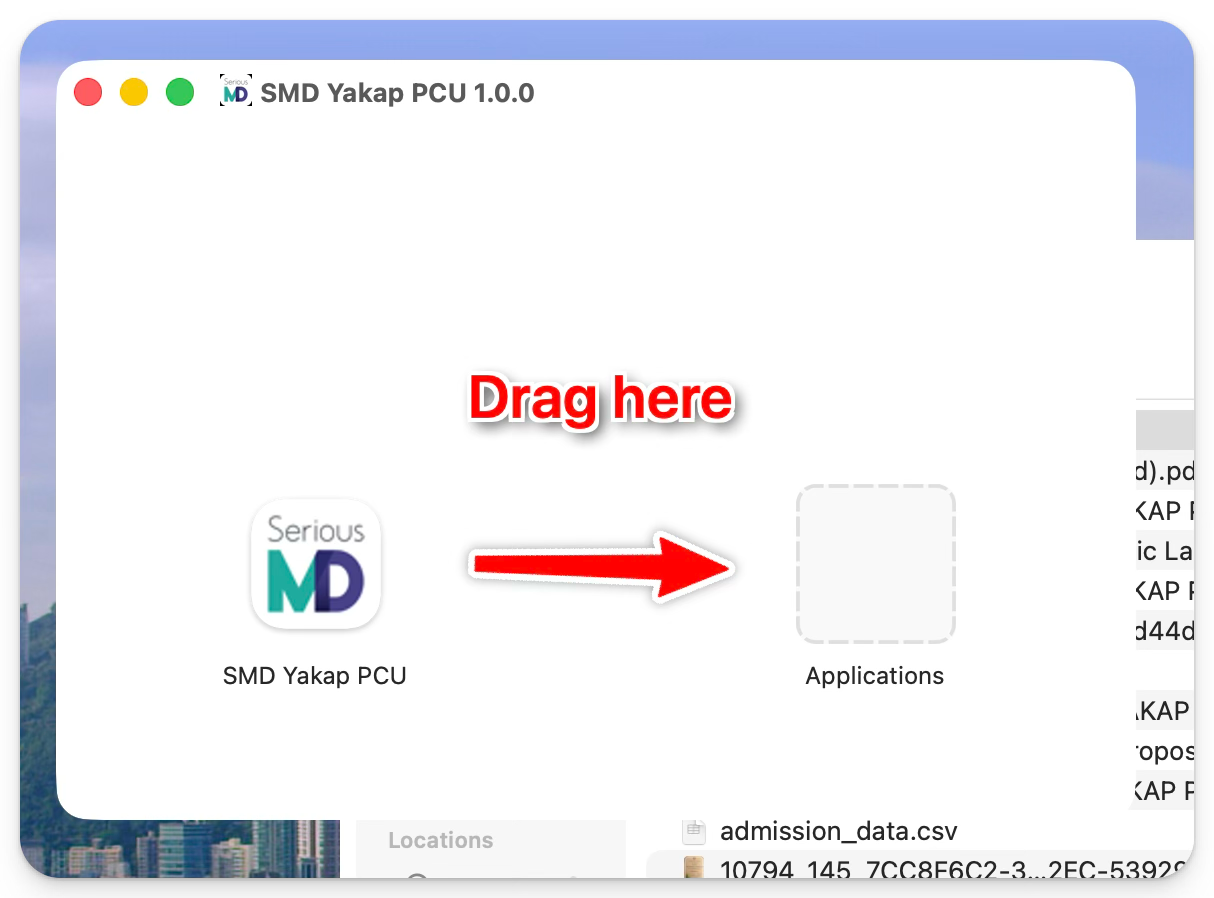
Drag the SMD Yakap PCU app into the Applications folder.
3. First-Time Launch Issue (Security Prompt)
If you try to open the app right away, you may see a warning that prevents it from launching. This is a normal macOS security restriction.

4. Allow the App to Run
Follow these steps to resolve it:
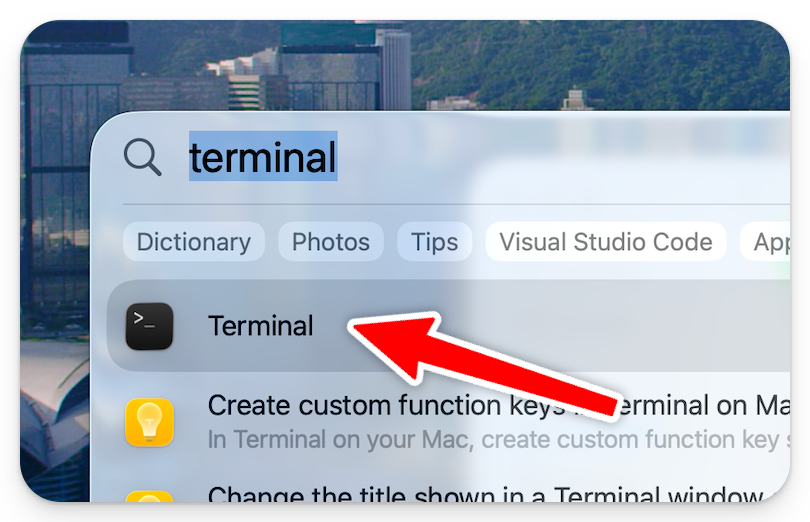
Open Spotlight Search
Click the 🔍 (magnifying glass) on your Mac

Or press Command (⌘) + Spacebar
Type Terminal and open it
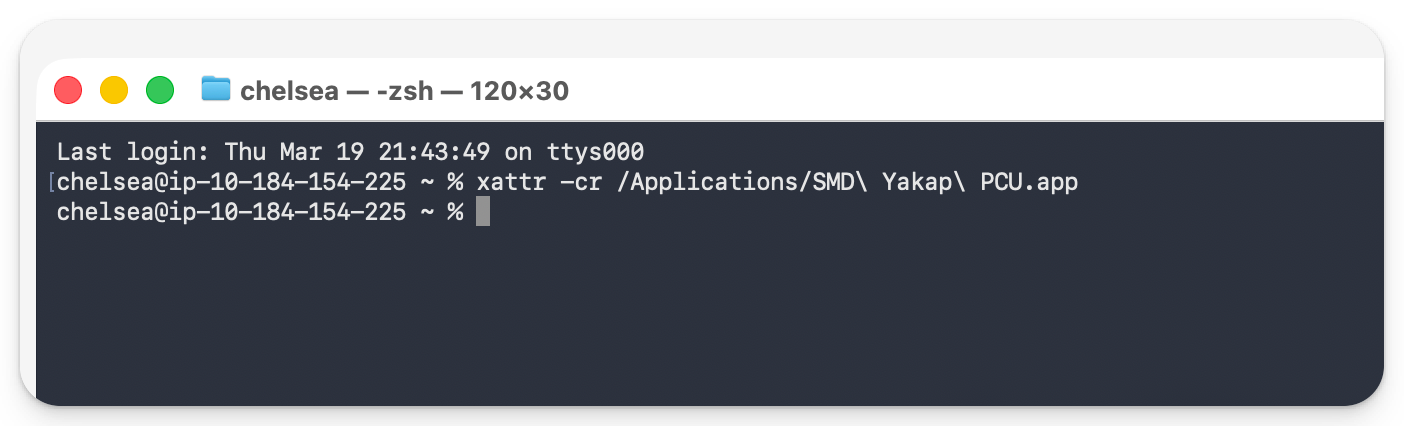
In Terminal, copy and paste the following command:
xattr -cr
Drag and drop the SMD Yakap PCU app (from Applications) into the Terminal window
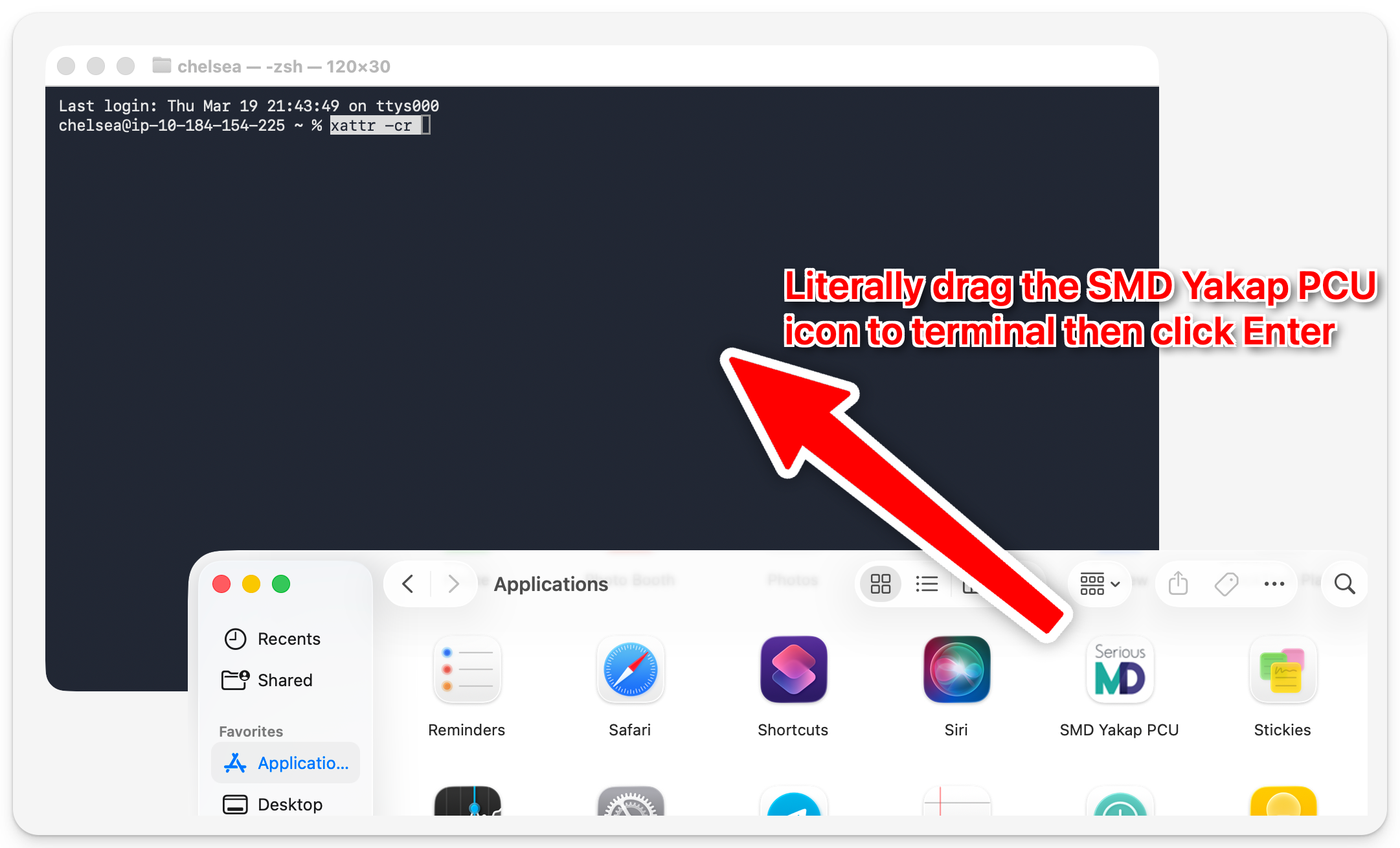
Press Enter. You should see something like this after.
5. Launch the App
Open SMD Yakap PCU again from your Applications folder
- It should now open successfully
6. Log In
You will receive an email similar to this:
EXAMPLE EMAIL:
Your YAKAP Account is ready.
CLICK THE LINK TO ACCESS SMD YAKAP: https://yakap-p111111111.seriousmd.com
Username: user@seriousmd.com
Password: PASSWORD123456

Use these credentials to log in to the PCU app. ✅
