

The status 500 error is usually related to the internet.
- Either the software is being blocked by the computer or network you are using from sending out
- Or the computer was offline during the time of submission
Please make sure the internet is working and try again. Please also try an alternative source of internet to test if it goes through.
If it continues to fail, go to your Census Packages and click this button encircled below.
If you can download it, then it's really related to your internet.
If you cannot download it, then something was skipped during the time the Pre-req installer was used.

Please reach out to us via pogs@seriousmd.com to schedule a time to connect to the computer.
========================
In very rare instances, some Windows computers would block the zip program OR somebody had access to the computer and uninstalled software. We've experienced situations where somebody in the department would just uninstall different software and incidentally, removes different softwares that are needed by the PNSS to run.
In case 7-Zip was uninstalled on the computer running PNSS:
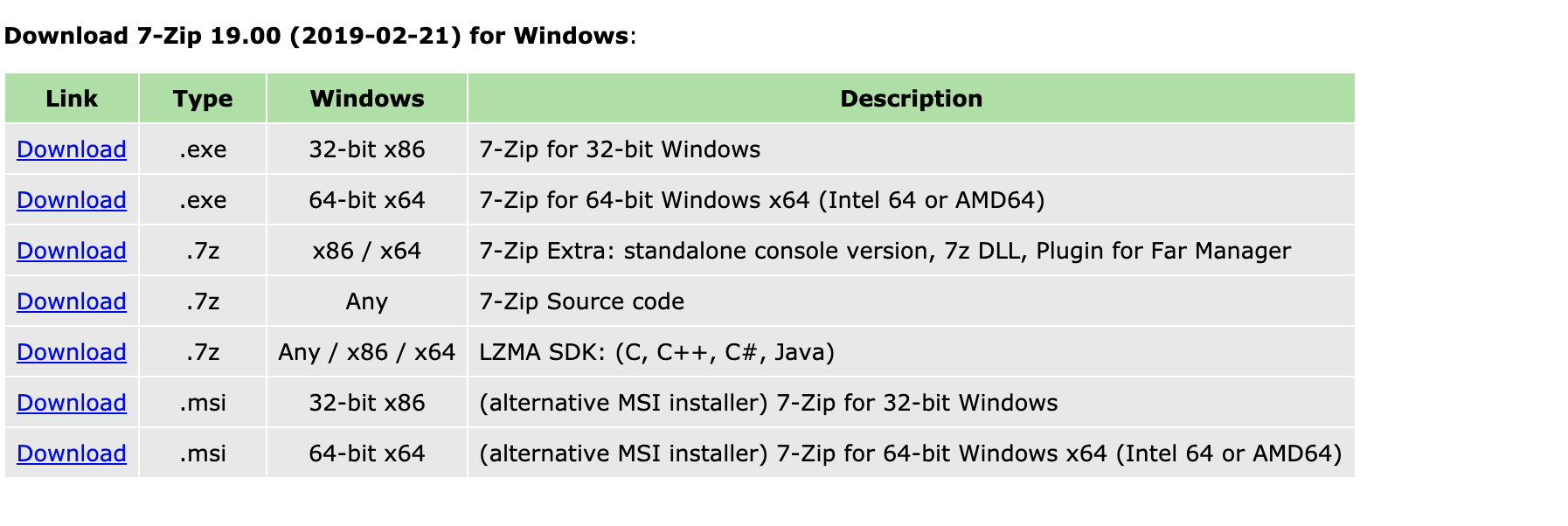
Download the 64 bit 7zip installed. https://www.7-zip.org/download.html
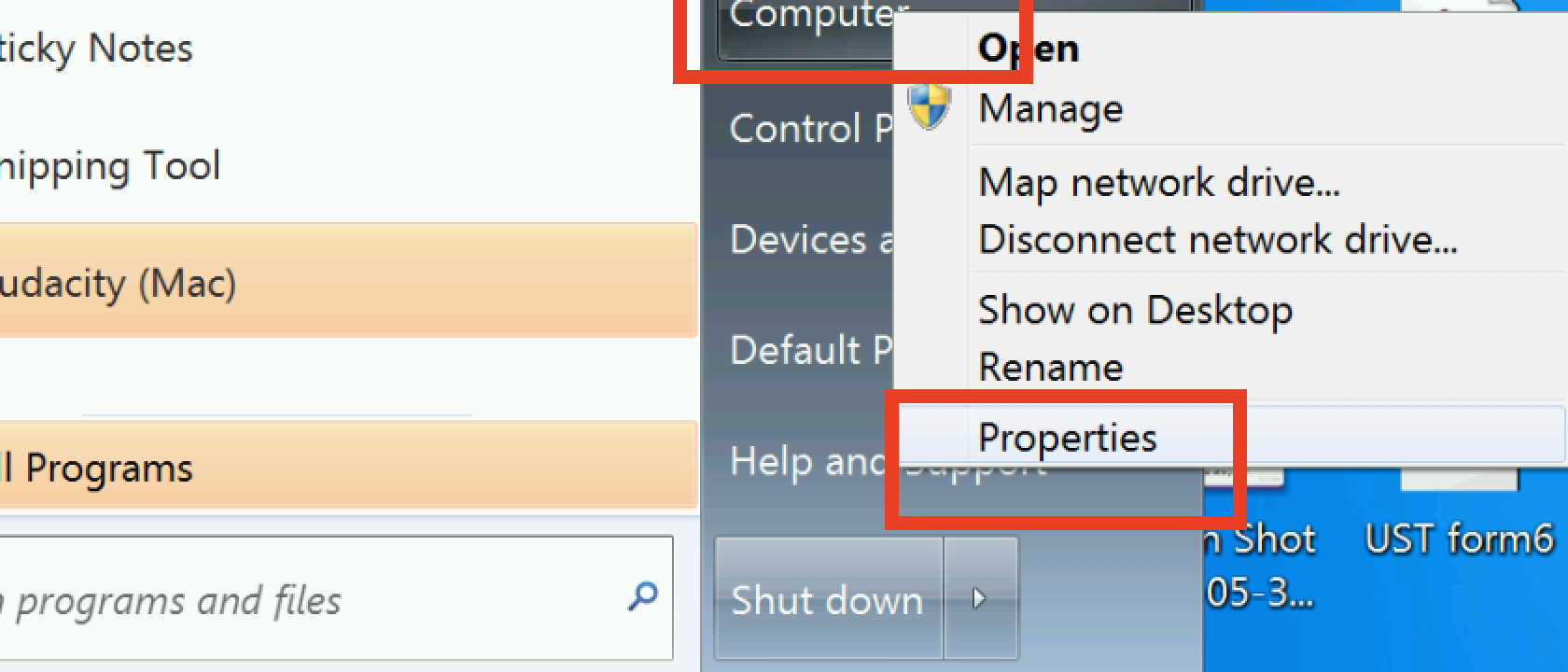
Step 1: Right click on Computer and click Properties
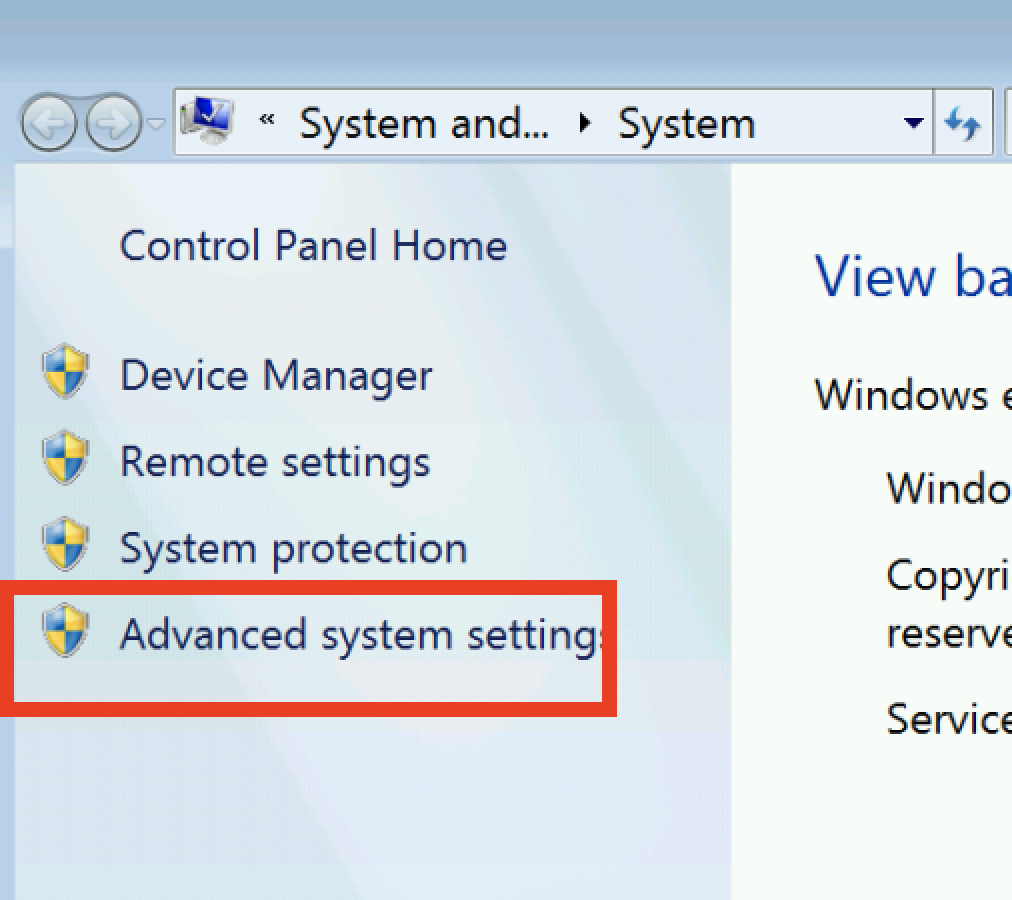
Step 2: Click Advanced System Settings
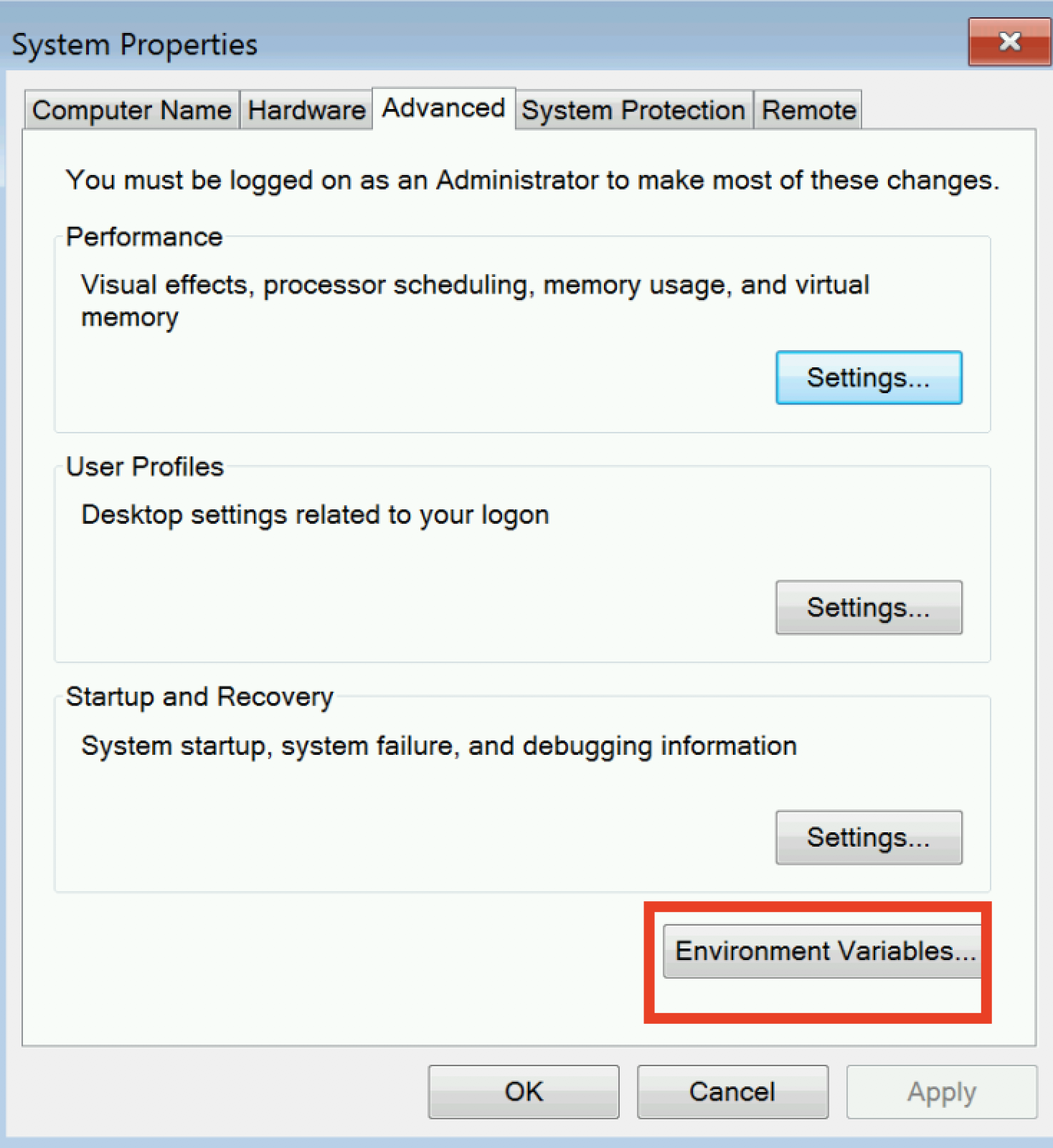
Step 3: Click Environmental Variables
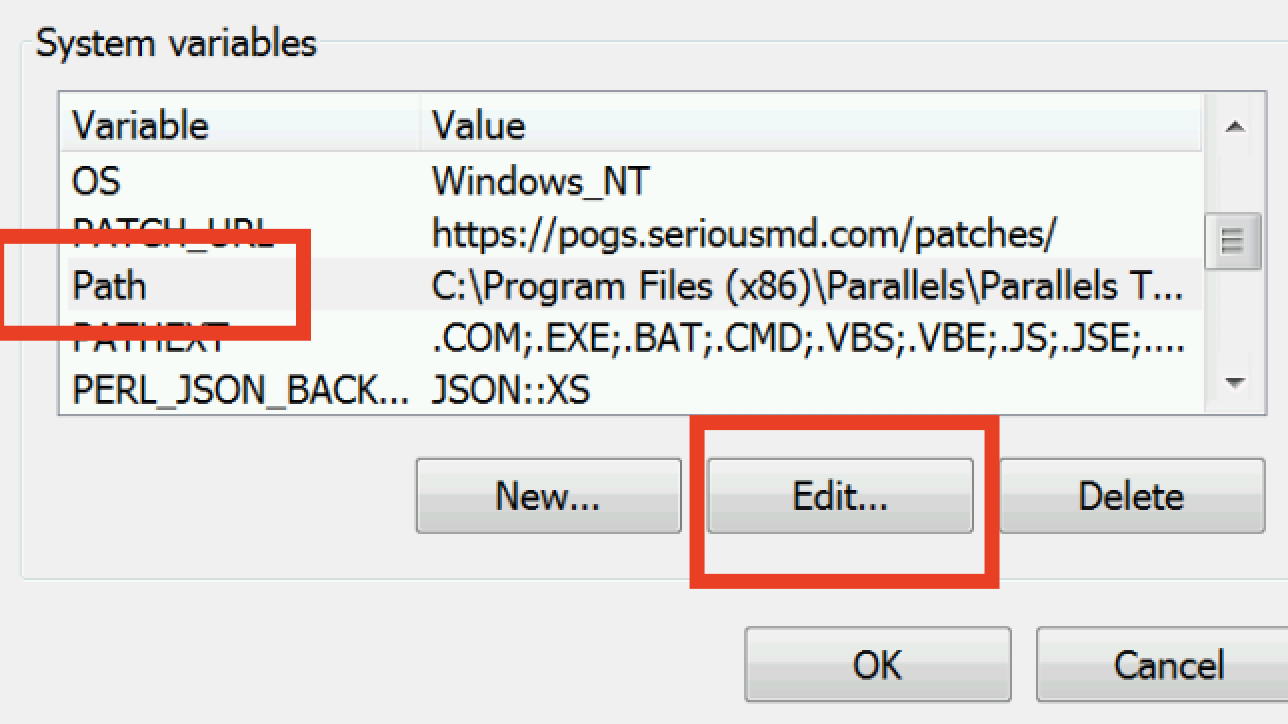
Step 4: Go to "System variables"
Look for Path and left click.
Click "Edit..."
Step 5: on the Variable value field, go to the end and add ;C:\Program Files (x86)\7zip
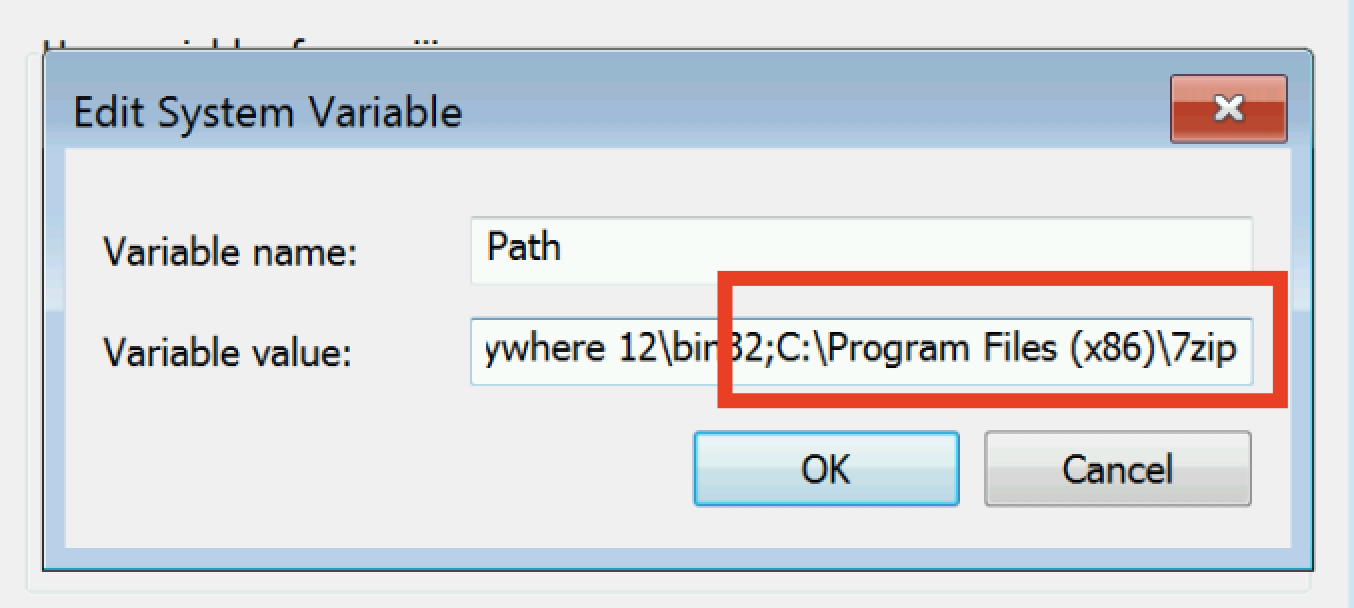
Press Ok and restart the computer.
