Quick answer
If the SeriousMD YAKAP PCU Tool shows "Verification Error – Failed to fetch liveness result. Server returned status: 401," do this:
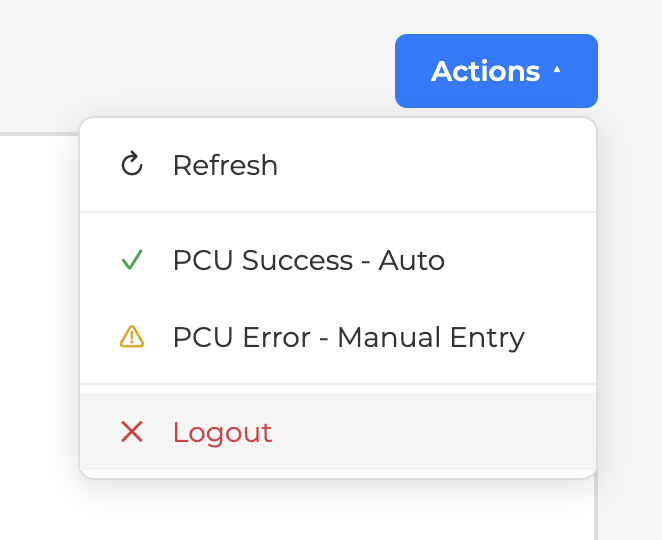
- Log out of the PCU tool, then log back in. This clears most cases.
- If it still fails, use the web version of the PCU checker instead: https://pcu.philhealth.gov.ph/consent
- Screenshot and save the result manually per patient for your own tracking, then upload the PCU result manually.
The liveness check is done on PhilHealth's side, so a 401 here is a server-side hiccup, not a problem with your record or your account.
Why this happens
The PCU tool pulls the liveness result from PhilHealth's server. A 401 means that request was rejected at that moment, usually a session or server issue on PhilHealth's end. Logging out and back in refreshes your session; if the endpoint itself is busy, the web checker (https://pcu.philhealth.gov.ph/consent) is the reliable fallback.
Step by step
1. Log out and log back in
Close the PCU tool, log out, then log back in and try the verification again.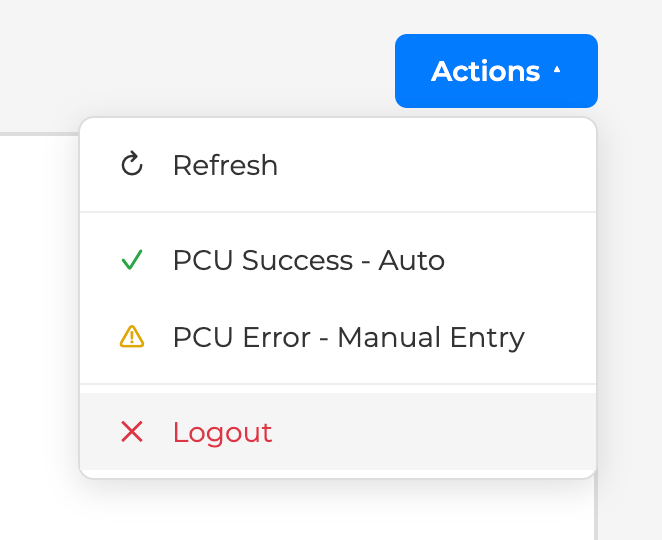
2. Use the web PCU checker if it still fails
Go to https://pcu.philhealth.gov.ph/consent and run the check there. The app and the web version do the same thing. The app just screenshots the PCU result for you. Submission is direct either way.
3. Save and upload the result manually
Screenshot the PCU result and keep a copy per patient for your own records, then upload the PCU result manually.